Top 5 AI Dictation Tools for Salesforce Professionals
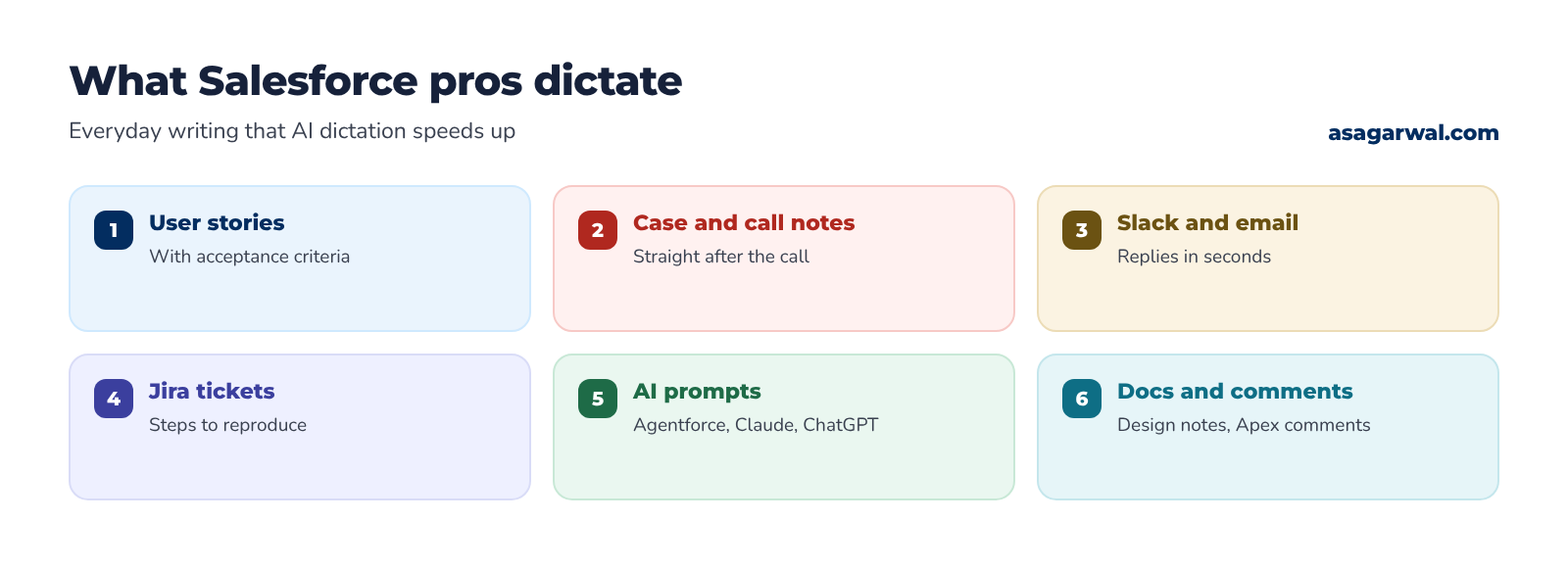
You leave a discovery workshop with twelve requirements in your head. By the time you have typed up the user stories, the acceptance criteria, the Jira tickets and the follow-up email, half the afternoon has gone and the detail the client stressed most has slipped into "I'll add it later".
Most of that time is spent typing, not thinking. Most of us type at 40 to 50 words per minute (Aalto University's study of 168,000 typists measured an average of 52), and many of us do it with two windows open, a Slack ping every few minutes and a backlog that never shrinks. Prompts suffer too: when every word costs effort, the instruction you give Agentforce, Claude or ChatGPT ends up short and vague, and so does the answer.
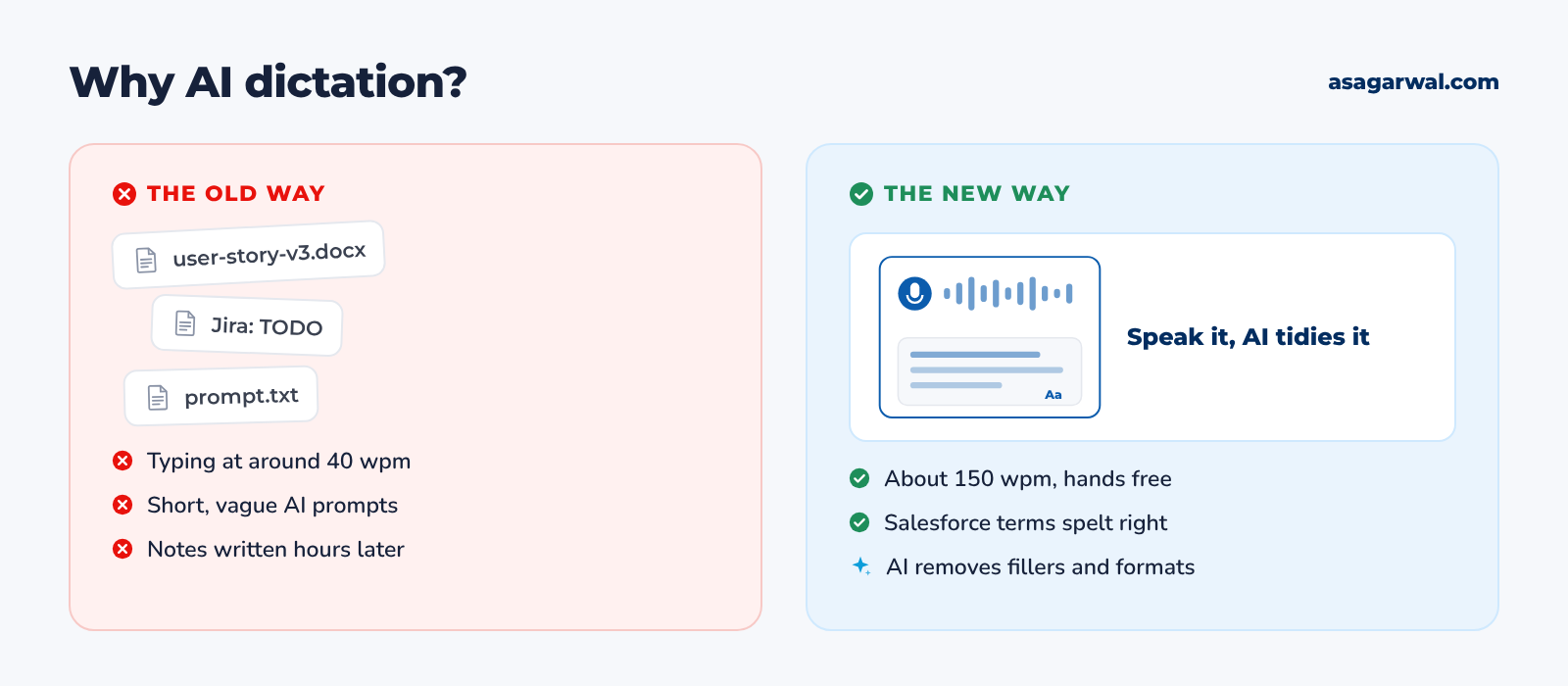
An AI dictation tool, sometimes called voice typing or speech-to-text, lets you speak into any text box and get clean, punctuated text back. Hold a key, talk through the user story as you would explain it to a colleague, let go, and the words appear in Jira, Slack, a Salesforce Case comment or your VS Code editor. Conversational speech runs at about 150 words per minute, and a Stanford study found speech input was three times faster than typing on a phone keyboard, with fewer errors.
In 2026 these tools do far more than transcribe. AI clean-up removes the "ums", fixes your grammar, follows you when you change your mind mid-sentence and formats lists and emails for you. A custom dictionary teaches them that you said "Agentforce", "SOQL" and "Apex trigger", not "agent force", "soak well" and "a pecks trigger".
Here are five of the best AI dictation tools for Salesforce professionals. Try one for a week and count the hours you get back. 🎙️
🔎 How These Five Were Chosen
We judged each tool on accuracy, speed, whether it works in any app (Salesforce in the browser, Slack, Jira, VS Code and AI prompt boxes), the quality of its AI clean-up, custom vocabulary, platforms, privacy and price. The four specialist apps lead independent roundups, including Top5Apps' October 2026 ranking and TechCrunch's guide to the best AI dictation apps, and investors are paying attention: Bloomberg reported in May 2026 that Wispr was in funding talks at a valuation of around $2 billion. The fifth pick is the free dictation already built into Windows and macOS, because many consultants work on client laptops where they cannot install software.
Several well-known names missed out. Dragon is now owned by Microsoft (the Nuance deal closed in March 2022), runs on Windows only and has not had a major release since version 16 in 2023; Nuance partners report that the Dragon Professional Anywhere editions stop selling on 31 December 2026, although we could not find an official Microsoft notice. Otter is a meeting transcription tool rather than a dictation tool, MacWhisper is best for transcribing audio and video files, and Talon is built for fully hands-free control and coding with a steep learning curve. Monologue and the open-source VoiceInk are good, but Apple-only. Prices are USD list prices as of October 2026; always confirm on the vendor's pricing page before you buy.
🔗 Useful links
1. Wispr Flow
🌐 URL: wisprflow.ai (this is an affiliate link)
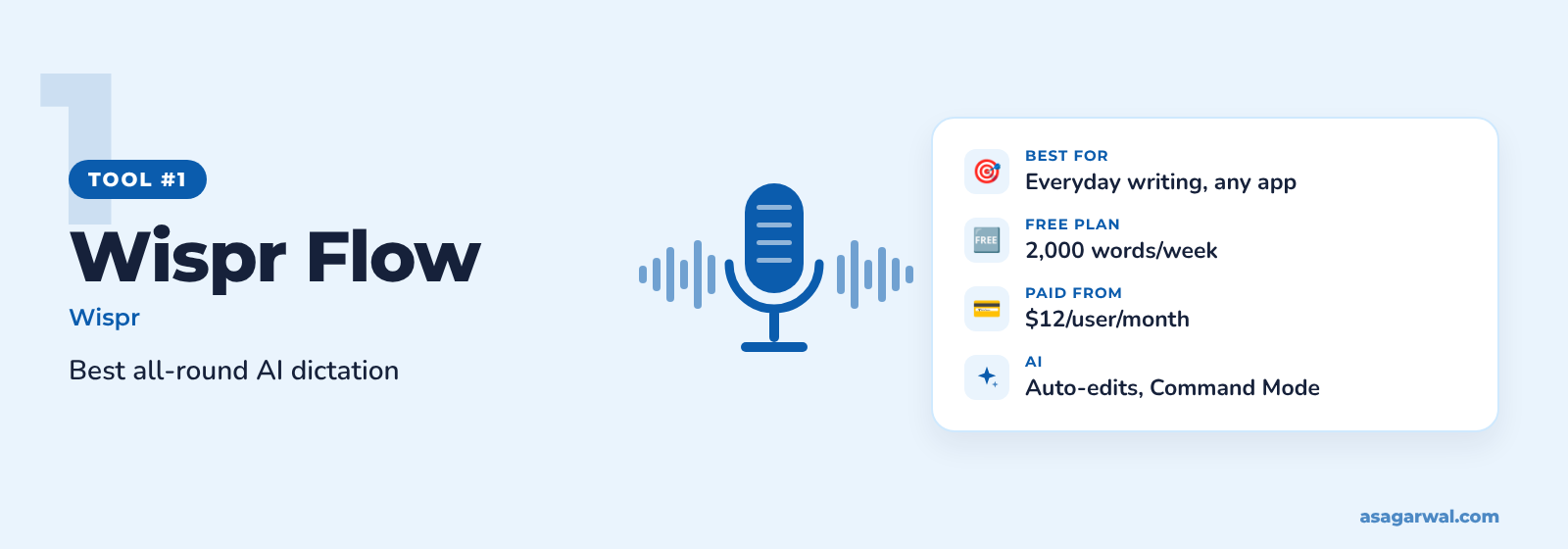
The most polished all-round AI dictation app today. Hold a key in any app, speak naturally, and Flow returns text that reads as if you had typed and edited it.
🔑 Key features
Works in any app or website with a text field, on Mac, Windows, iPhone and Android
Removes filler words and "backtracks" when you change your mind mid-sentence
Dictionary that learns from your corrections, plus a shared team dictionary on paid plans
Snippets: a short spoken cue expands into longer, formatted text
Whisper mode for quiet offices and 100+ languages
✨ AI capability
AI edits are built into every dictation. Styles adjust tone to the app you are writing in (English, desktop only). Command Mode, an experimental feature for paid users, lets you select text and say "make this more formal" or "turn this into bullet points". For developers, Flow recognises variable names in VS Code and can tag files by voice in the Cursor and Windsurf chat panels.
I use Wispr Flow every day to draft user stories and Slack replies.
💰 Free or paid
Free plan with 2,000 words a week on desktop. Pro is $12 per user/month billed annually ($15 monthly) for unlimited dictation. Growth, at $18 per user/month billed annually, adds SSO and org-wide HIPAA enforcement; Enterprise is custom-priced.
⚡ Why it matters for Salesforce professionals
Add Agentforce, SOQL, Apex, Data Cloud and your client's object names once, and share the dictionary with the whole delivery team
Create a snippet such as "AC template" that drops a Given/When/Then acceptance criteria skeleton into Jira
Variable recognition helps when you dictate Apex comments and prompts in VS Code with the Salesforce Extensions (turn on Screen Reader Optimized mode first)
🔗 Useful links
2. Superwhisper
🌐 URL: superwhisper.com
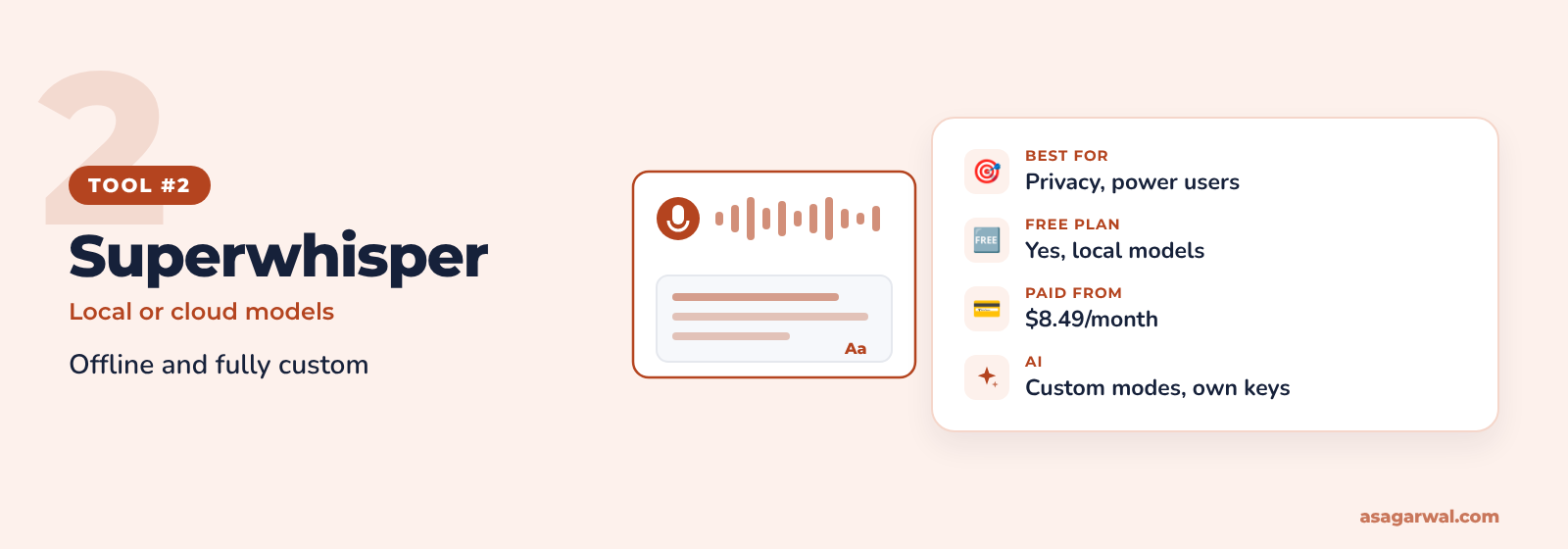
A dictation app for people who want control. Run speech models offline on your Mac, or switch to cloud models, and decide exactly how the AI should rewrite what you say.
🔑 Key features
Voice to text in any app on macOS, Windows, iOS and Android
Offline transcription with local models, best on Apple silicon Macs
Modes such as Email, Message and Formal, which can switch automatically by app
Custom vocabulary for names, abbreviations and specialist terms
Audio and video file transcription and translation into English on Pro
✨ AI capability
Custom Mode lets you write your own formatting rules and prompt and pick the AI model, and Super Mode uses what is on your screen as context. Pro adds unlimited cloud and local AI models and lets you bring your own API keys, so requests go straight to your chosen provider.
💰 Free or paid
Free plan with unlimited use of the Whisper speech models and a 3,000-word trial of Pro features. Pro is $8.49 a month, $84.99 a year or $249.99 for a lifetime licence; Enterprise is custom-priced.
⚡ Why it matters for Salesforce professionals
Build a "User Story" mode that turns a rambling explanation into "As a… I want… so that…" with acceptance criteria
Local models keep audio on your Mac, which helps on projects with strict data-handling rules
Link a terse, code-friendly mode to VS Code and a polished one to Outlook or Gmail
🔗 Useful links
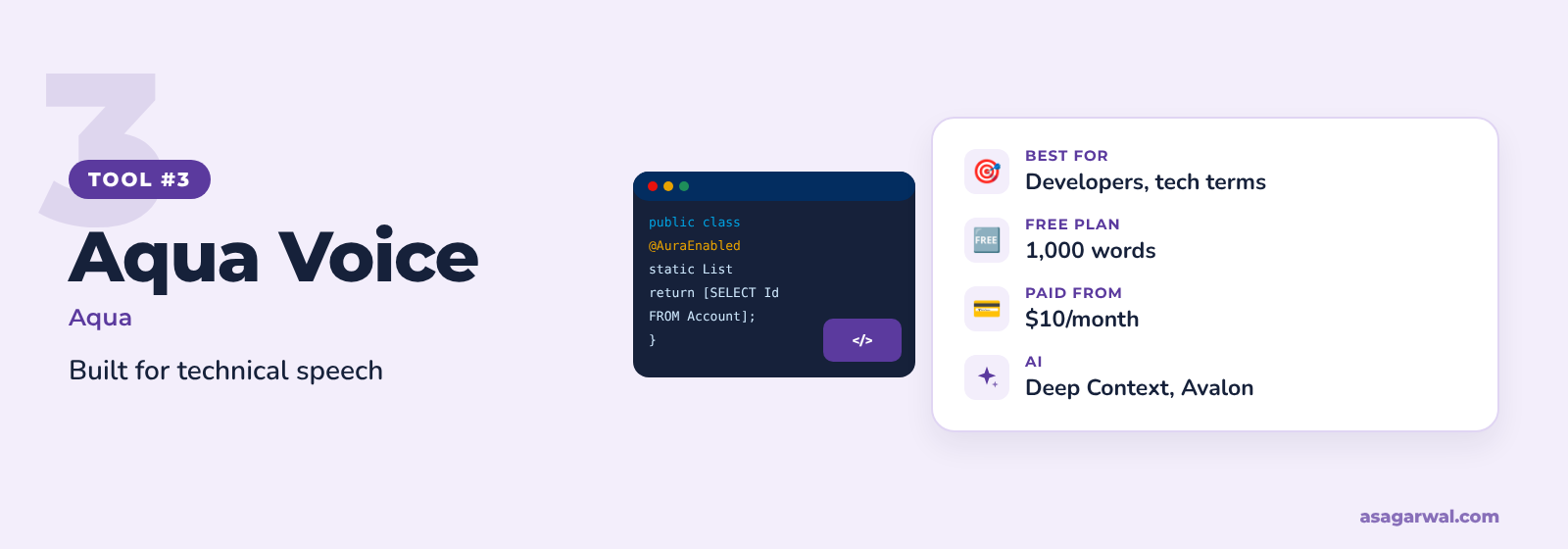
3. Aqua Voice
🌐 URL: aquavoice.com
Fast, cloud-based dictation built around its own speech model, tuned for technical language. A strong choice if your day mixes code, product names and plain English.
🔑 Key features
Works in any app on Mac, Windows, iPhone and Android
Avalon speech model, built for technical speech
Deep Context reads what is on your screen, from code to everyday text
Personal dictionary on Pro and shared dictionaries on Business
MCP and command-line access for developers
✨ AI capability
Aqua reports 97.4% accuracy on key technical terms in its own benchmark, against 65.1% for OpenAI's Whisper Large v3 (vendor figures). Pro adds custom instructions to shape the output, and Max adds Realtime Mode and voice commands.
💰 Free or paid
Free to start with 1,000 words. Pro is $10 a month billed annually ($12 monthly) for unlimited words, Max $19 billed annually ($24 monthly), and Business $19 per seat/month billed annually, with a two-seat minimum, SSO and zero data retention.
⚡ Why it matters for Salesforce professionals
Technical-term accuracy pays off when you dictate SOQL, Apex class names and API field names such as Invoice__c
Deep Context uses what is on your screen, so object and field names visible in Setup or VS Code are more likely to come out right
Works in AI coding tools such as Cursor and Claude Code, so you can describe a Lightning Web Component in full sentences
🔗 Useful links
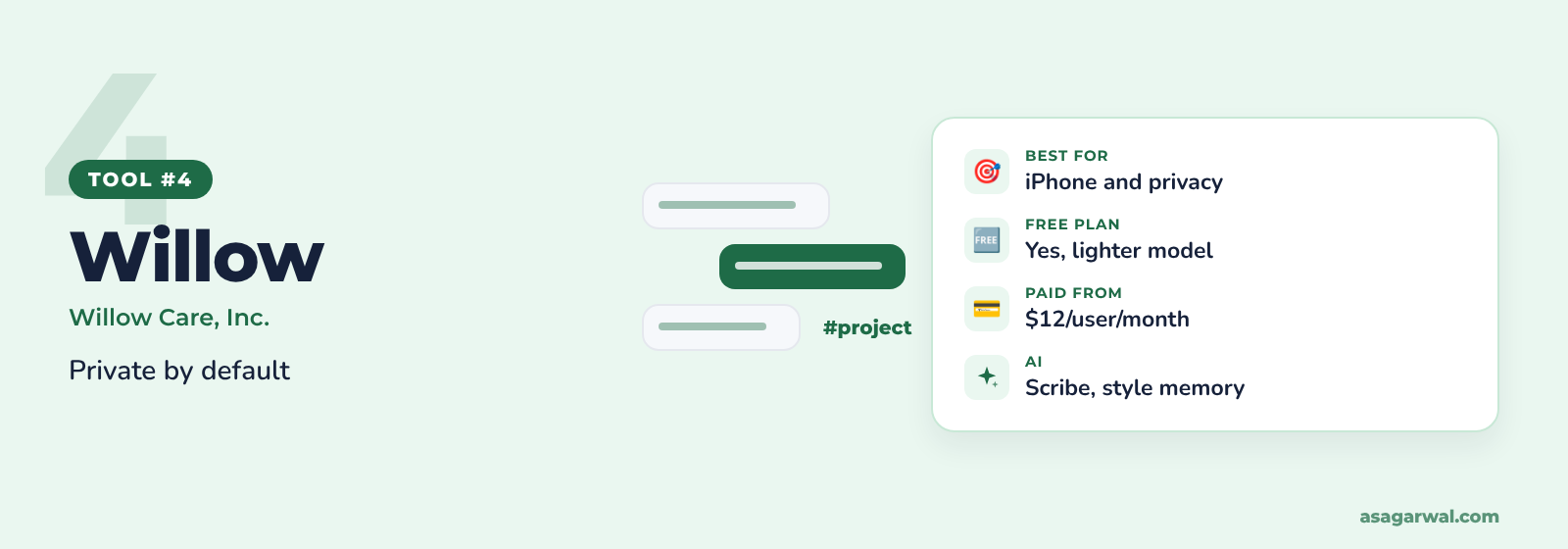
4. Willow
🌐 URL: willowvoice.com
AI dictation with privacy switched on from the start and a strong iPhone keyboard. A good fit if you capture notes on the move between client meetings.
🔑 Key features
Works anywhere you type, on Mac, Windows and iPhone (Android is listed as coming soon)
Strips filler words, fixes punctuation and structures text automatically
Auto-learning dictionary for names, product terms and abbreviations
Voice shortcuts that insert saved phrases
Privacy Mode on by default, so dictation audio and transcripts are not kept
✨ AI capability
Willow learns your writing style over time and adapts it to email, chat and technical tools. Willow Scribe writes from your intent, so you can describe the reply you need rather than dictate it word for word. The free plan includes 20 Scribe uses a week; Pro makes it unlimited.
💰 Free or paid
Free plan with unlimited use of a lighter speech model. Pro is $12 per user/month billed annually ($15 monthly) for its best model; Business is $28 a month billed annually and adds enforced zero data retention and HIPAA compliance. Enterprise is custom-priced.
⚡ Why it matters for Salesforce professionals
Dictate call summaries and next steps on your iPhone straight after a customer meeting, then paste them into the Salesforce mobile app
Privacy Mode by default is easier to explain to a cautious client than a setting you must remember to turn on
Scribe turns "tell them the deployment moved to Thursday because UAT found two defects" into a polished update
🔗 Useful links
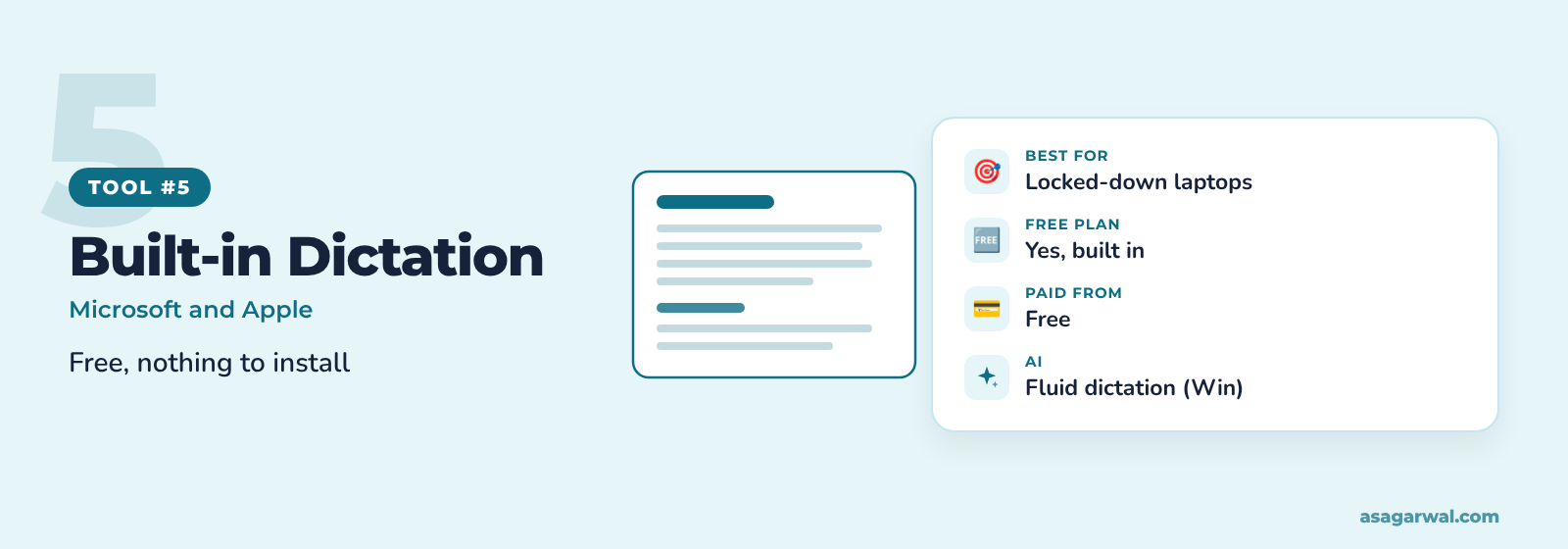
5. Windows Voice Typing and Apple Dictation
🌐 URL: support.microsoft.com – Windows voice typing and support.apple.com – Mac Dictation
The dictation already on your laptop. Nothing to buy or install, which matters when a client's IT team will not approve new software.
🔑 Key features
Windows: press Windows key + H in any text box
Mac: press the microphone key or your Dictation shortcut, with no time limit
Automatic punctuation on both platforms
Spoken commands such as "new line" and "new paragraph"
Around 50 languages for voice typing on Windows 11
✨ AI capability
On Copilot+ PCs, Windows fluid dictation uses on-device small language models to fix grammar, punctuation and filler words as you speak. On Macs with M3 or later and at least 12GB of memory, Apple Intelligence in macOS 27 improves spelling, punctuation and capitalisation on-device. Neither offers a custom dictionary you can manage, so terms such as Agentforce or SOQL may need fixing by hand.
💰 Free or paid
Free with Windows 11 and macOS.
⚡ Why it matters for Salesforce professionals
Works on a locked-down client laptop where third-party apps are blocked
A no-cost way to test whether dictation suits you before paying for an AI tool
Apple Dictation can process speech on the device, which suits sensitive client work
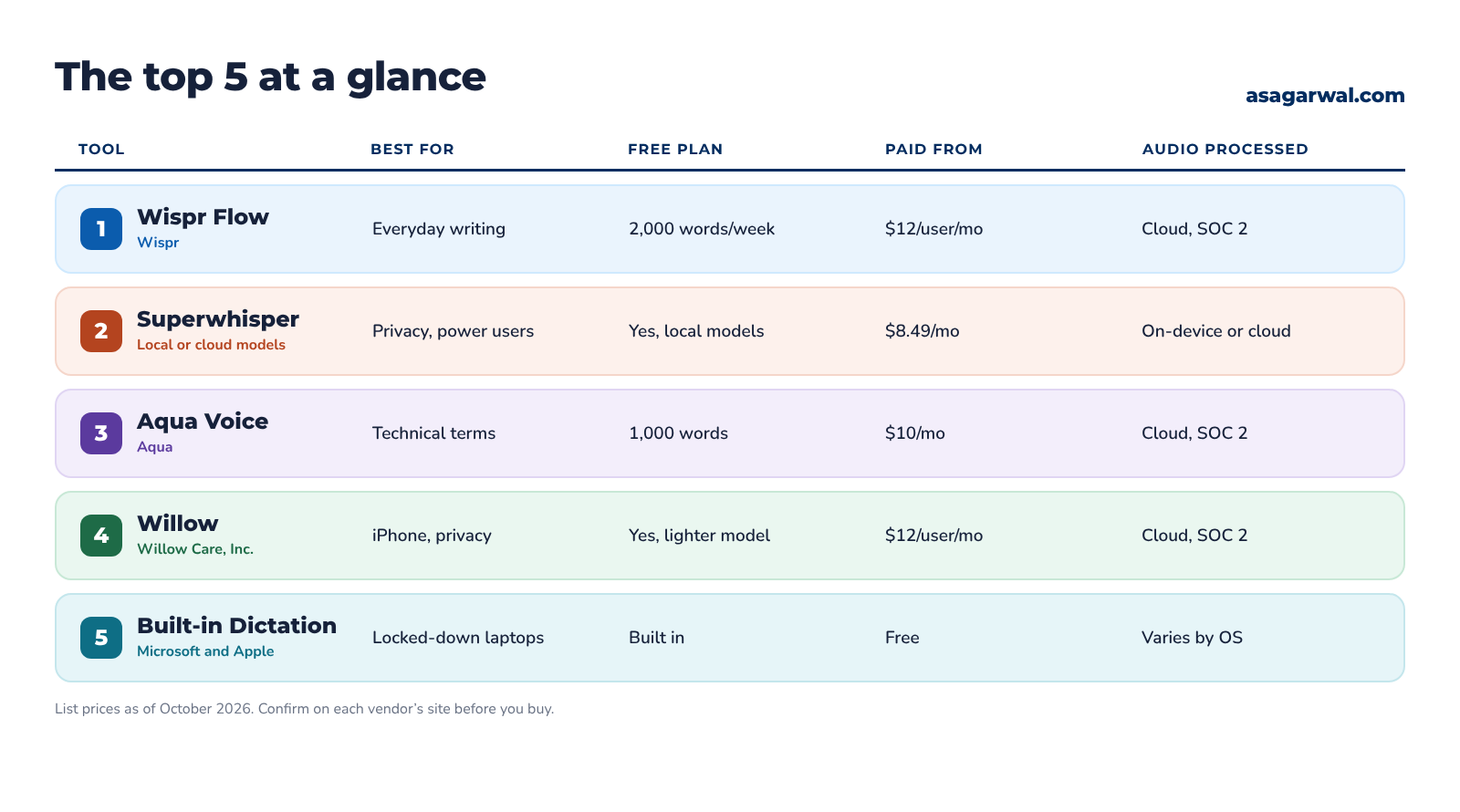
📊 The Top 5 at a Glance
🧭 Which One Should You Choose?
Start from where you work and what your client allows:
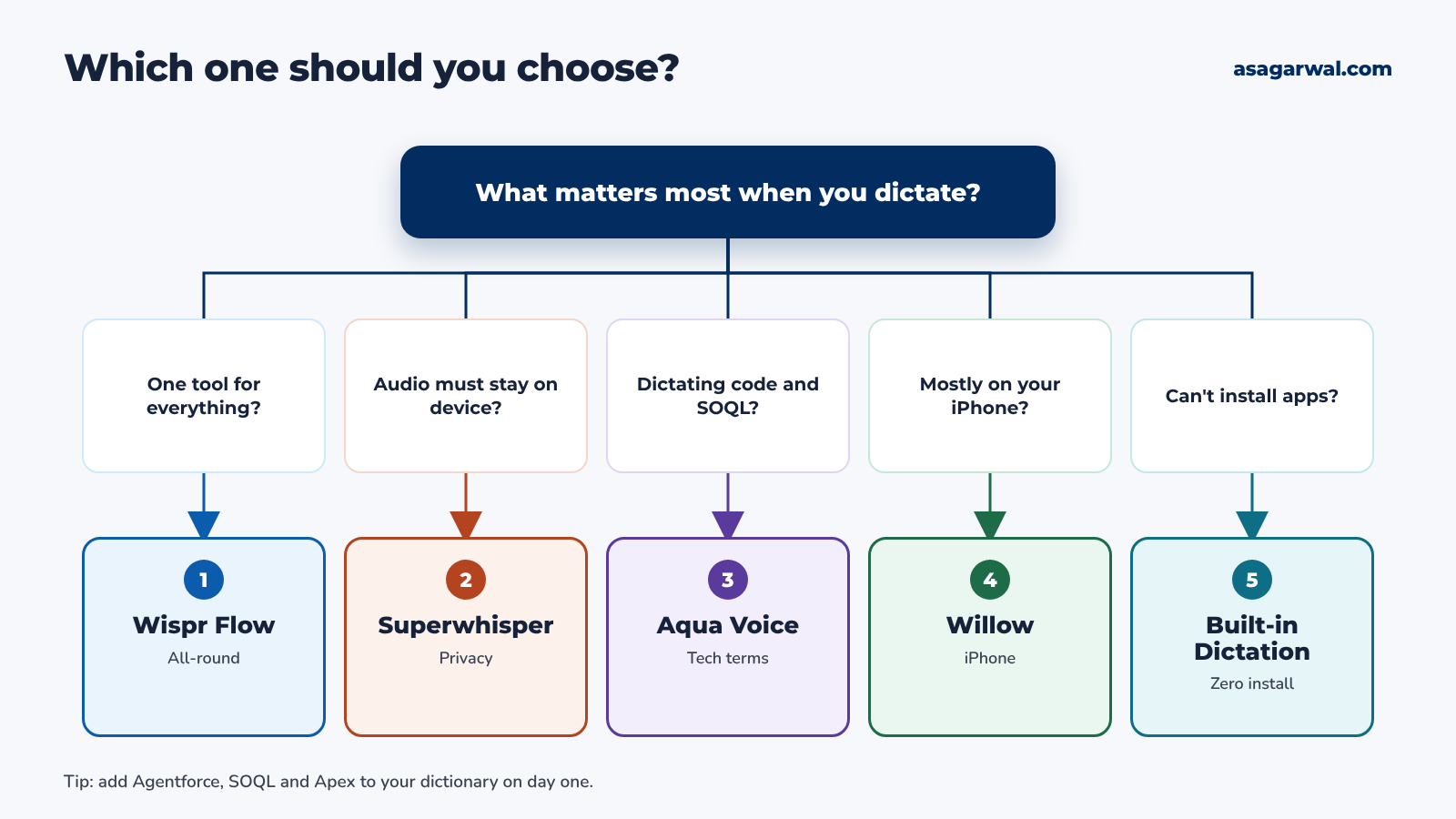
Want one tool that works well everywhere? Choose Wispr Flow.
Need audio to stay on your device, or want full control of the AI? Choose Superwhisper.
Dictating code, SOQL and technical terms all day? Choose Aqua Voice.
Capture most of your notes on an iPhone? Choose Willow.
Can't install apps on the client's laptop? Use Windows Voice Typing or Apple Dictation.
AI dictation works best alongside the rest of your toolkit. See our guides to the top collaboration tools, top project management tools and top IDEs for Salesforce development.
🔐 Privacy on Client Projects
Before you dictate anything about a client's customers, ask one question: where does my voice go? With most AI dictation tools, the audio is sent to the vendor's cloud for transcription and AI clean-up. Wispr Flow, Aqua Voice and Willow work this way. Superwhisper can run speech models entirely on your Mac, and Apple Dictation and Windows fluid dictation can process speech on the device.
Then check what the vendor keeps and what it certifies:
Wispr Flow discards audio once it is transcribed, lets you switch off model training, and holds SOC 2 Type II and ISO 27001. A signed BAA enables HIPAA support, and training is locked off on Growth and Enterprise.
Superwhisper keeps audio on your device with local models; its cloud models process audio in memory and do not store it. Its policy says your data is not used to train AI models, and its Trust Center lists SOC 2 Type II and HIPAA.
Aqua Voice reports a SOC 2 Type II audit and ISO 27001 certification. Zero data retention is a Business plan feature, and you should contact Aqua before using it with health data.
Willow keeps Privacy Mode on by default, so no audio, transcripts or edits are retained. It holds SOC 2 Type II, offers BAAs for HIPAA, and lets enterprise admins enforce Privacy Mode.
Windows Voice Typing uses Microsoft's online speech recognition, while fluid dictation runs on-device. Apple Dictation only shares audio with Apple if you opt in to Improve Siri & Dictation.
Most importantly, check your client's policy before you dictate sensitive data. Many Salesforce clients restrict AI tools by contract, and some ban sending customer data to third-party services altogether. Use the team or enterprise plan with zero retention where you can, turn off model training, and never dictate passwords, API keys, card numbers or health details. If in doubt, ask the client's security team, or use an on-device option.
🔗 Useful links
🗣️ Tips to Dictate Well
Build your custom dictionary on day one. Add Agentforce, Data Cloud, SOQL, SOSL, Apex, LWC, your client's name and their custom object names.
Speak in full thoughts. Pause, think, then say the whole sentence. AI clean-up handles the "ums", so you don't need to sound like a newsreader.
Say punctuation naturally when it matters. "New paragraph", "bullet point" and "question mark" work in most tools; let AI handle the commas.
Talk your prompts. Explain the context, the goal and the format you want, exactly as you would brief a colleague. Longer spoken prompts usually get better answers from Agentforce, Claude or ChatGPT.
Always do a review pass. Read it once before you hit send, especially field names, numbers and dates in user stories and client emails.
✅ Start Talking, Not Typing
Pick one tool, add twenty Salesforce terms to its dictionary, and dictate everything for a week: user stories, case notes, Slack replies, Jira tickets and AI prompts. Note how long your usual writing takes before and after.
Your ideas move at 150 words a minute. Stop making them wait for your keyboard.
Do you already dictate your user stories or AI prompts? Tell us which tool you use in the comments 👇