Best Browser Extensions for Salesforce Professionals in 2026
You need the API name of a field. Setup, Object Manager, the object, Fields & Relationships, scroll, click. Ten clicks later you have it, and you still have to check whether the debug log you're about to open belongs to production or the UAT sandbox in the next tab.
That is how most of us worked for years: Setup trees, the Developer Console, Workbench in another tab, and a sticky note telling you which org is which. It works. It is also slow, and one wrong tab is all it takes to change data in production.
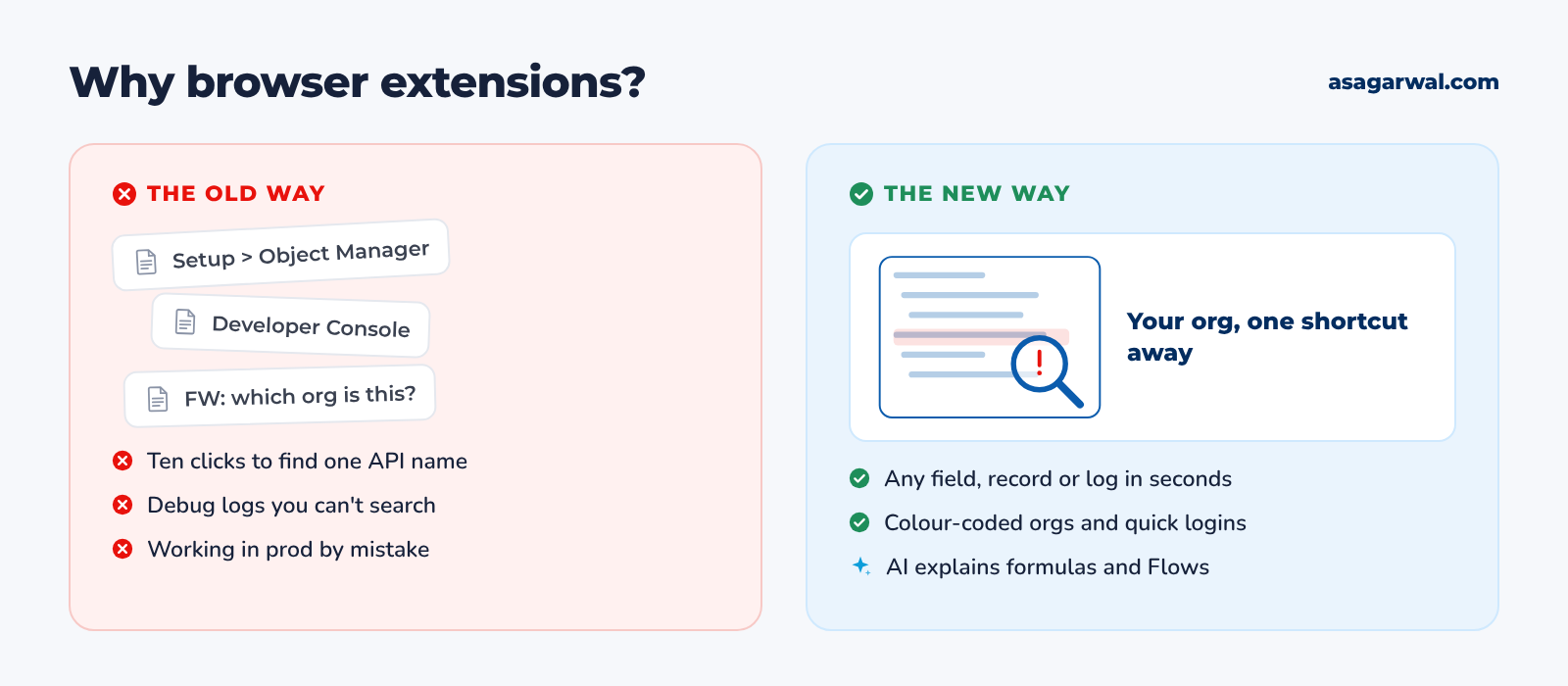
A good browser extension puts the information you need right on the Salesforce page you're already looking at: field metadata on a record, a searchable debug log, a colour-coded tab for every sandbox, a change set you can actually sort. It uses the session you already have, so there's nothing new to log into.
In 2026 some of these extensions also bring AI to the page. Salesforce Inspector Reloaded can call Agentforce to explain a formula or turn plain English into SOQL, and general browser agents can read and act on the Salesforce UI for you. That power cuts both ways, which is why this guide ends with a section on using extensions safely.
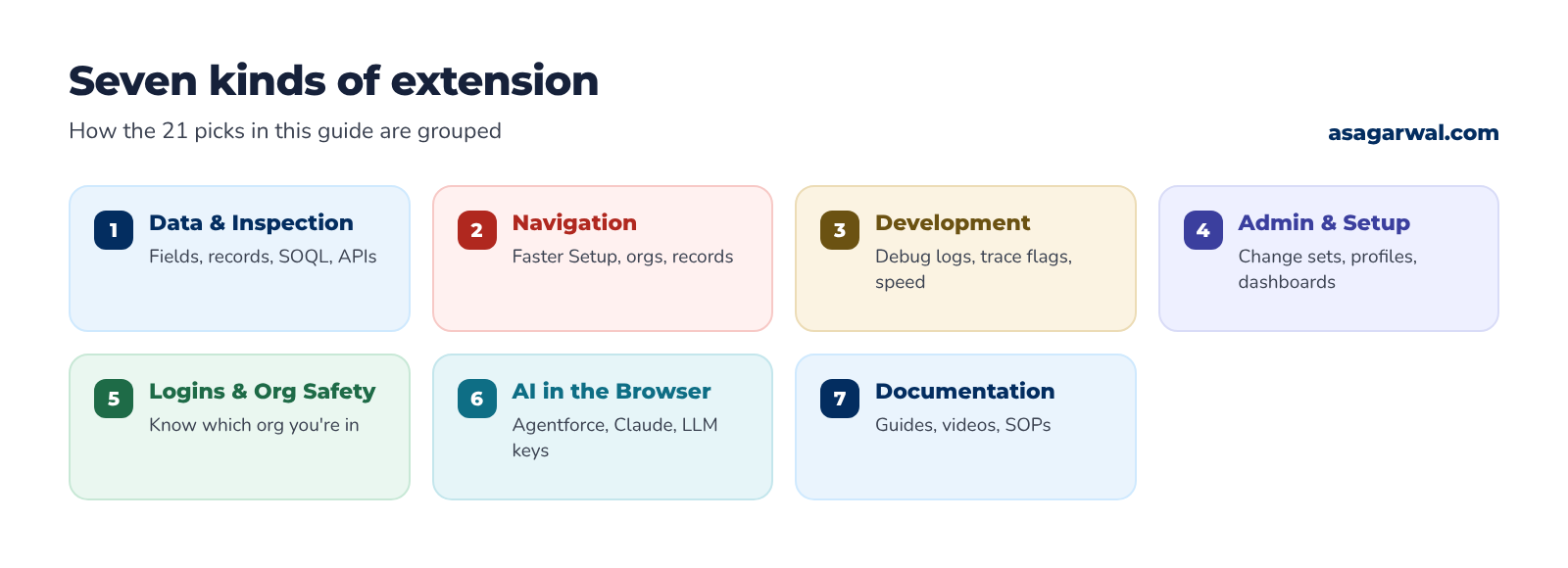
Here are 21 of the most useful browser extensions for Salesforce admins, developers, consultants and architects, grouped by the job they do. 🧩
🔎 How These Were Chosen
Every extension below was checked on the Chrome Web Store (and on Firefox Add-ons and Microsoft Edge Add-ons where it is listed) on 24 October 2026: user count, rating, publisher, last update and the permissions it asks for. Each one has been updated within the last 18 months and does a Salesforce job well. User numbers are the store's own rounded figures, so treat them as a guide to adoption, not a quality score.
Some long-time favourites didn't make the cut. The original Salesforce Inspector by Søren Krabbe is no longer listed on the Chrome Web Store and its Firefox version hasn't been updated since June 2022; Salesforce Inspector Reloaded is its maintained successor. Salesforce's own Lightning Inspector has also gone from the store, and its GitHub repository was archived in February 2024. Salesforce's Lightning Extension is still listed but hasn't been updated since November 2022. Salesforce Colored Favicons, Salesforce Advanced Code Searcher, Salesforce Navigator for Lightning, Boostr, Force.com LOGINS and Salesforce Show API Name were all last updated more than 18 months ago, so they're out too. Chrome stopped letting users re-enable older Manifest V2 extensions from Chrome 138 in July 2025, which is one reason unmaintained tools quietly break.
Prices are USD list prices as of October 2026. Most Salesforce-specific extensions are free; always confirm on the vendor's page before you buy a paid plan.
🔗 Useful links
🔍 Data & Inspection
The everyday toolkits: see every field on a record, run SOQL, export data and explore metadata without leaving the page.
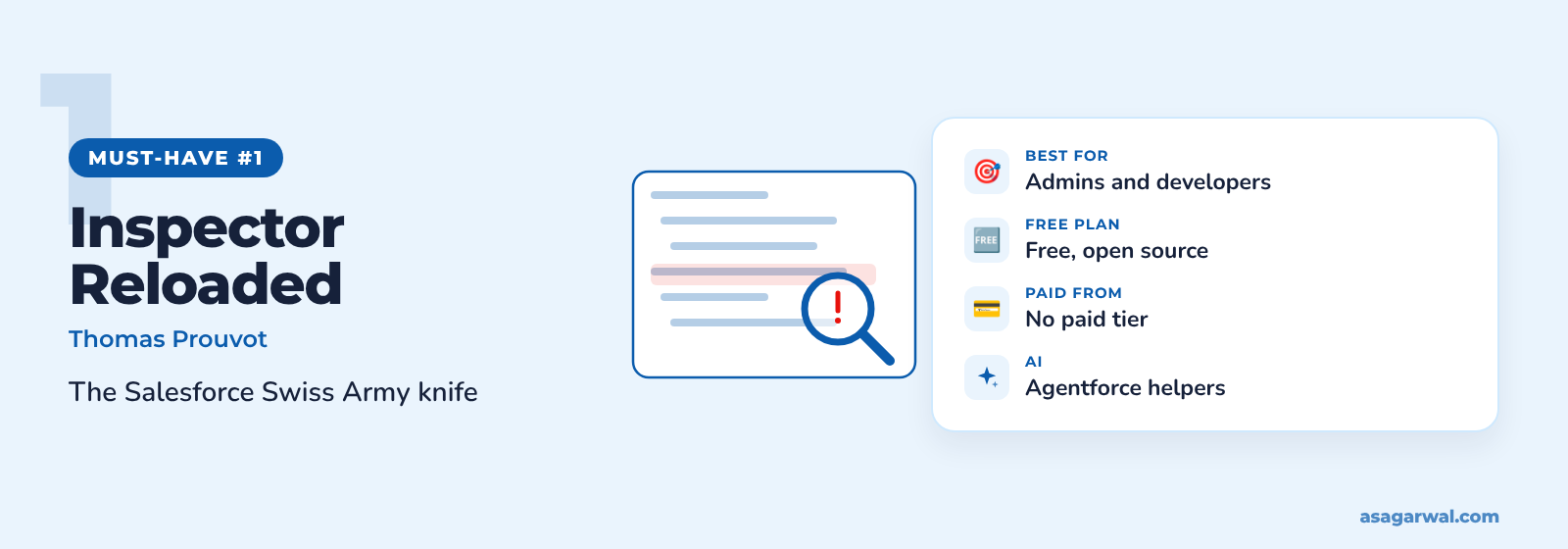
Salesforce Inspector Reloaded
🌐 Get it: Chrome · Firefox · Edge
The most widely used Salesforce extension, with 600,000 Chrome users and a 4.5 rating. Built by Thomas Prouvot on the original Salesforce Inspector, it is open source (MIT licence) and was last updated on 20 October 2026.
🔑 What it does
Show all data and field metadata for any record, including fields not on the layout
Data Export and Import with SOQL, SOSL and GraphQL, multi-query tabs and query plans
REST Explore, Event Monitor for Platform Events, metadata download and deploy, Flow Scanner
Agentforce helpers that explain formula fields, analyse debug logs and write SOQL from plain English (Agentforce must be enabled in the org)
💰 Price: Free and open source.
⚡ Best for: Every admin and developer. If you install one extension, make it this one.
Salesforce DevTools
🌐 Get it: Chrome
A developer-focused toolbox from xgeek.net with 50,000 users. Its standout trick is turning org metadata into Excel documents and diagrams in a click.
🔑 What it does
Generate SOQL and Apex test code, and export query results to Excel
Export object, field, page layout, list view and Flow definitions to Excel
Generate an ERD of your data model
Check All on profile and field-permission pages, plus field search with usage
💰 Price: Free on the Chrome Web Store.
⚡ Best for: Consultants and architects who need design documentation from an existing org.
Maven Tools for Salesforce
🌐 Get it: Chrome
An all-in-one kit from Zagreb-based Maven Mule, rated 4.8 by its 20,000 users. It is aimed at technical consultants who live in the org all day.
🔑 What it does
Intelligent query editor for SOQL
REST console for testing Salesforce APIs
Event hub for subscribing to Platform Events
Regular releases with public release notes and a service desk for bugs
💰 Price: Free.
⚡ Best for: Technical consultants and integration developers.
🔗 Useful links
Salesforce Inspector Reloaded documentation – Thomas Prouvot
Improve Your Productivity with Salesforce Inspector Reloaded – Salesforce Developers Blog
🧭 Navigation & Productivity
Fewer clicks between you and the page you need, especially when you juggle several orgs.
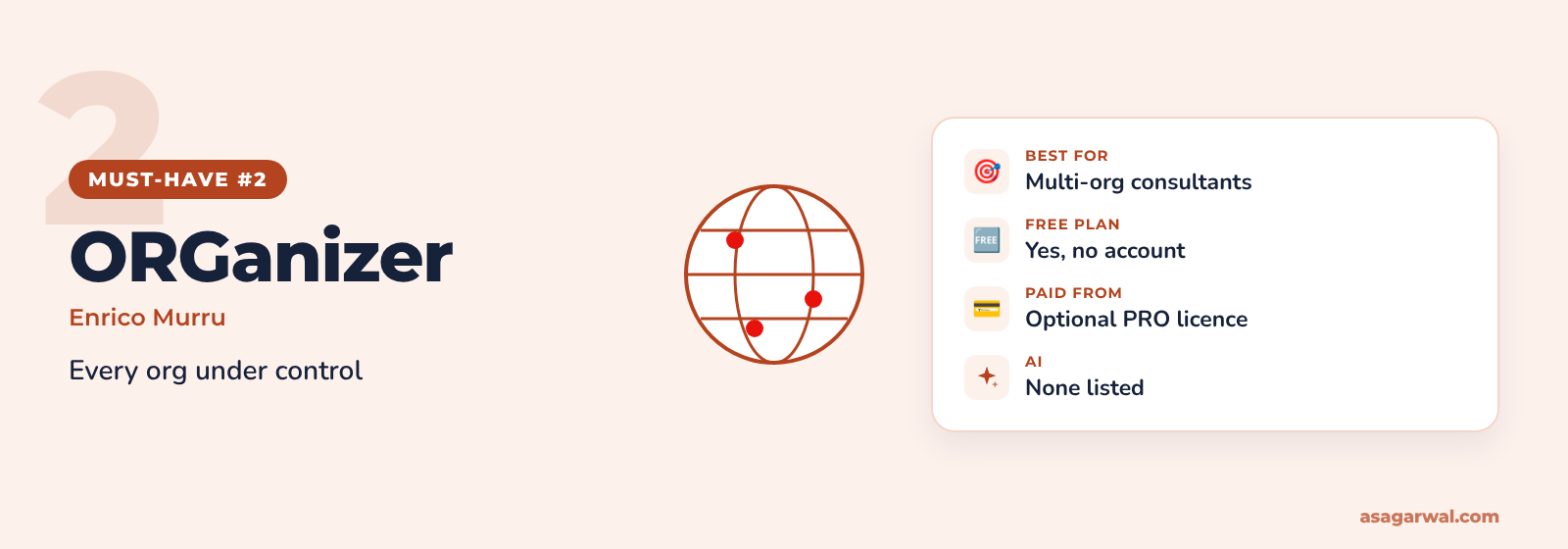
ORGanizer for Salesforce
🌐 Get it: Chrome · Firefox · Edge
Enrico Murru's org manager has been around since 2016 and is rated 4.8 by 80,000 Chrome users, plus over 12,000 on Edge. It is the go-to for anyone who switches between client orgs all day.
🔑 What it does
Saved org logins with optional encryption and backup
Quick links to the Setup pages and records you use most
Colour-coded tabs and labels so sandboxes and production look different
Org health dashboard and permission explorer, one shortcut away
💰 Price: Free with no account needed; an optional PRO licence adds extra features.
⚡ Best for: Freelancers and consultants working across many client orgs.
Salesforce (Sales Cloud Everywhere)
🌐 Get it: Chrome
Salesforce's official Chrome extension, used by 400,000 people. It brings records, tasks and engagement alerts into Gmail or a side panel next to any web page.
🔑 What it does
Work your To Do List and update records without opening Salesforce
Create Leads, Contacts and Opportunities from any web page
Engagement alerts and calendar links inside Gmail
Admins switch it on in Setup under Sales Cloud Everywhere
💰 Price: Free to install; needs a Salesforce org where your admin has enabled it.
⚡ Best for: Sales users, and consultants rolling out Sales Cloud with Google Workspace.
Why Salesforce
A small, focused extension from Salesforce developer Warren Walters, rated 4.8. It adds your own tabs, such as Flows and Users, to the Setup menu bar.
🔑 What it does
Custom tabs in Lightning Setup for the pages you open most
No more typing "flow" into Quick Find a hundred times a day
Asks only for storage permission and runs only on Setup pages
Open source on GitHub
💰 Price: Free.
⚡ Best for: Admins who spend their day in Setup.
🔗 Useful links
🛠️ Development & Debugging
Debug logs, trace flags and page performance, without fighting the Developer Console.
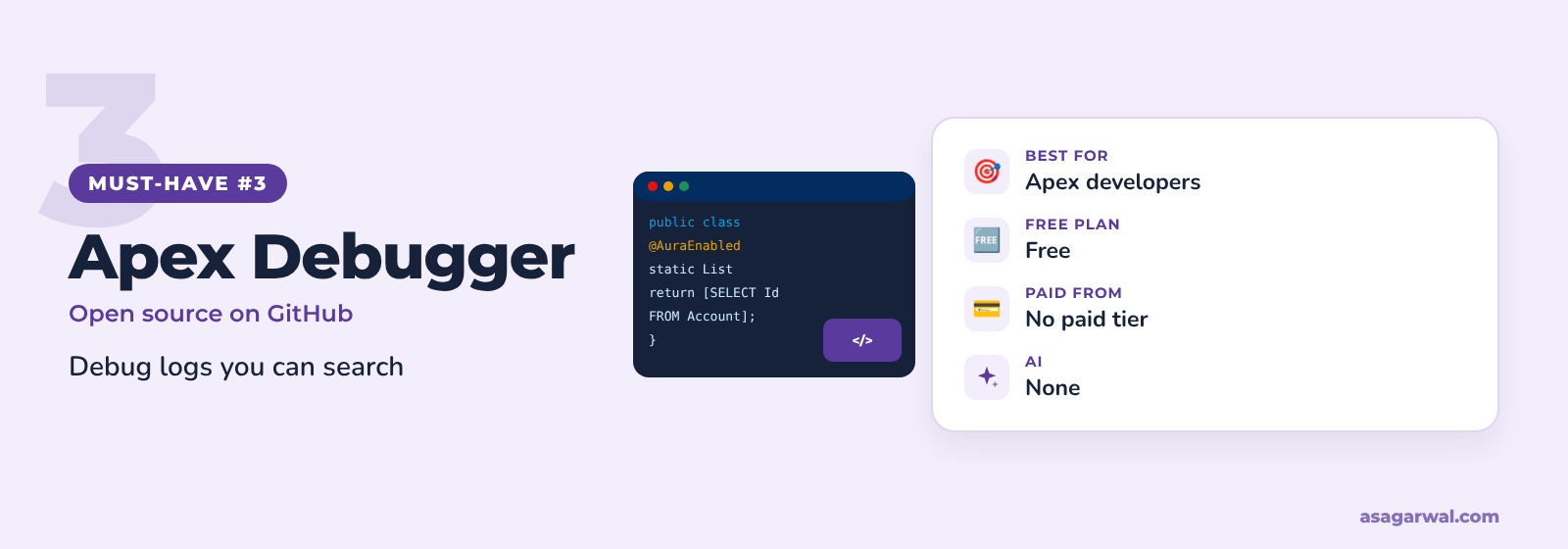
Apex Debugger
🌐 Get it: Chrome
A long-standing, open-source log viewer with 20,000 users that was updated again in October 2026. Press Shift+W on any Salesforce page and your logs open in a cleaner, searchable view.
🔑 What it does
Search, filter and bulk-delete debug logs
Pretty-prints sObjects, lists, JSON and XML in log lines
Every Id in a log links to its class, trigger or record
Add a trace flag for the current user in one click
💰 Price: Free and open source.
⚡ Best for: Apex developers who read logs every day.
Salesforce Speedy Debugger
🌐 Get it: Chrome
Built by Speetus IT Solutions, this extension focuses on the part of debugging everyone forgets: trace flags. Rated 4.7 by around 3,000 users.
🔑 What it does
Create, renew and delete trace flags for any user
Renew a trace flag for the next 24 hours in one click
Search and filter debug logs
Pick debug levels without leaving the page
💰 Price: Free.
⚡ Best for: Developers and admins troubleshooting another user's issue.
Salesforce Page Optimizer
🌐 Get it: Chrome
An official Salesforce extension, still labelled Developer Preview, that analyses Lightning apps and Experience Cloud sites for performance problems. Last updated in September 2025.
🔑 What it does
Analyses Lightning pages and community sites for slow components
Highlights optimisation opportunities to refine page design
Covered by a Salesforce EULA and privacy settings page
Runs on all websites, so enable it only when you need it
💰 Price: Free (Developer Preview).
⚡ Best for: Developers and architects tuning slow Lightning or Experience Cloud pages.
🔗 Useful links
⚙️ Admin & Setup
The extensions that make the slow parts of Setup bearable.
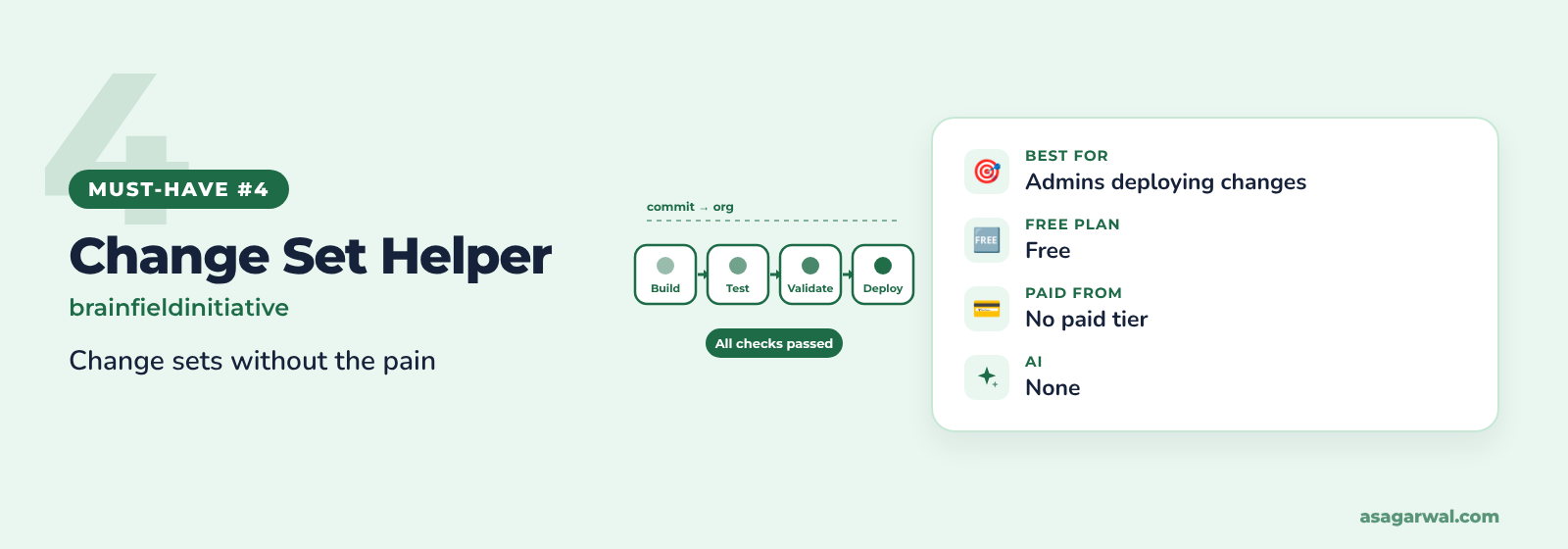
Salesforce Change Set Helper
🌐 Get it: Chrome
If your team still deploys with change sets, this is the fix for the native screen's 25-row pages and missing dates. Rated 4.3 by 10,000 users and updated in August 2026.
🔑 What it does
Adds last modified date and author, search, filters and sorting to Add Components
Loads thousands of components and exports or imports package.xml
Compares components with a connected target org before you deploy
Validate, quick-deploy and watch test results from the same page
💰 Price: Free.
⚡ Best for: Admins deploying with change sets.
Salesforce Tool Suite
🌐 Get it: Chrome
A broad admin toolkit from Concret.io with a 4.9 rating from 130 reviews. It keeps your data on your machine.
🔑 What it does
Compare profiles and permission sets, even across orgs
Export classes, triggers, Flows, validation rules and more to Excel
Super User report to spot over-privileged users
Bulk create or delete fields, and manage reports and dashboards in bulk
💰 Price: Free.
⚡ Best for: Admins and architects doing org audits and security reviews.
Enhance Salesforce Dashboard
🌐 Get it: Chrome
A small utility from Satrang Technologies, used by 10,000 people, for teams who keep dashboards on a big screen.
🔑 What it does
Auto-refresh dashboards at a frequency you choose
Up to seven dashboard columns instead of three
Countdown timer to the next refresh
Hide the header and title for wall displays
💰 Price: Free.
⚡ Best for: Sales and service operations teams with live dashboards.
🔗 Useful links
🚦 Logins & Org Safety
Know which org you're in before you click Save. Inspector Reloaded and ORGanizer can already colour your tabs and add a sandbox banner; these two go further on logins and shortcuts.
Salesforce Logins by Synebo
🌐 Get it: Chrome
A credential manager built for Salesforce, with 40,000 users and a Featured badge on the Chrome Web Store.
🔑 What it does
Encrypted storage of org usernames, passwords and security tokens
One-click login in a new tab, window or incognito window
Type "sf" in the address bar to log in by name
PIN or biometric lock, and import or export for team sharing
💰 Price: Free.
⚡ Best for: Consultants with dozens of sandbox and client logins, where company policy allows it.
Salesforce Shortcuts with Colored Favicons
🌐 Get it: Chrome
A lightweight, maintained alternative to the original Colored Favicons extension, updated in September 2026.
🔑 What it does
Open any saved org with Alt+S and arrow keys
Shortcuts to Home, Setup and Developer Console
A different favicon colour for each org
Export and import your settings
💰 Price: Free.
⚡ Best for: Anyone who wants colour-coded tabs without a full toolkit.
🔗 Useful links
🤖 AI in the Browser
There is no widely adopted, Agentforce-specific browser extension yet; the ones in the store have a few hundred users at most. The useful AI today sits inside established tools, or comes from general browser agents.
Remember the Agentforce helpers in Salesforce Inspector Reloaded above: they run through a prompt template in your own org, so the data stays inside Salesforce's trust boundary.
Salesforce Inspector Advanced
A fork of Inspector Reloaded by French consultancy dufeo consulting, with 50,000 users. It adds a heavier set of developer tools and AI analysis.
🔑 What it does
AI Flow analysis and SOQL generation using ChatGPT, Claude, Mistral or Agentforce
Apex runner, log viewer with flame charts and code coverage
Metadata browser with package.xml generation, and a data transfer tool for sandboxes
Org Analyzer for unused items, code quality and security issues
💰 Price: Free; external AI providers use your own API key and account.
⚡ Best for: Developers who want AI help and accept sending metadata to an AI provider.
Claude in Chrome
🌐 Get it: Chrome
Anthropic's browser agent, with 19 million users. It isn't built for Salesforce, but it can read a Lightning page, click, type and fill forms for you, across several tabs.
🔑 What it does
Side-panel chat that reads and acts on the page you're viewing
Multi-tab work, scheduled tasks and recorded workflows
Console log access for debugging web pages
Team and Enterprise admins can switch it off or limit it to approved sites
💰 Price: Included with paid Claude plans (Pro, Max, Team and Enterprise).
⚡ Best for: Experienced users testing UI walkthroughs or data entry in a sandbox, never production without approval.
🔗 Useful links
📸 Documentation & Capture
Training material, handover notes and bug reports, created while you click. Read our full guide to screen capture and recording tools for desktop options.
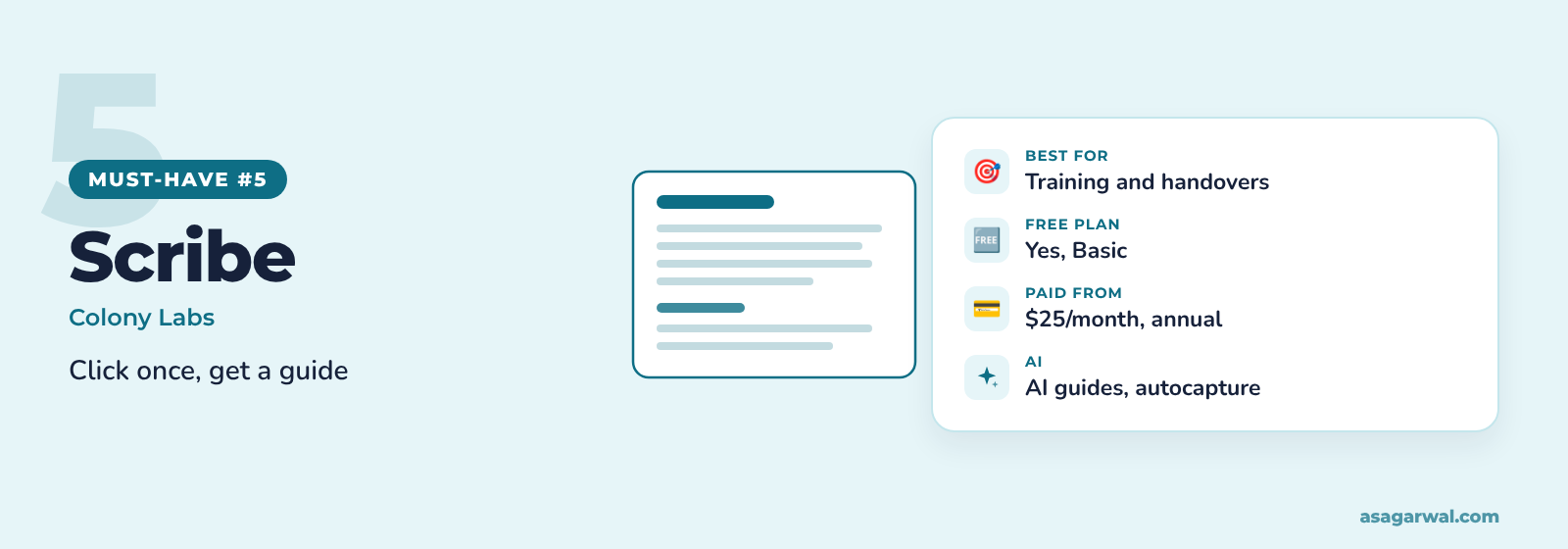
Scribe
🌐 Get it: Chrome
Turns any process you click through into a step-by-step guide with screenshots. With 2 million users and a 4.5 rating, it's the most popular tool in this list.
🔑 What it does
Records each click in Salesforce and writes the steps for you
Edit, redact and share guides by link or embed
AI features such as autocapture and workflow insights (check your plan)
SOC 2 Type II, HIPAA, FERPA and GDPR compliance listed
💰 Price: Free Basic plan; Pro Personal is $25/month billed annually.
⚡ Best for: Admins writing end-user guides and consultants preparing handovers.
Tango
🌐 Get it: Chrome
A close rival to Scribe, rated 4.6 by 400,000 users. Its "Guide Me" mode shows users where to click, right inside the app.
🔑 What it does
Captures clicks into annotated how-to guides
"Guide Me" walkthroughs on screen (some enablement features are Enterprise-only)
Blur sensitive data during capture (Pro and above)
Export to PDF, HTML or Markdown
💰 Price: Free for 5 shared workflows; Pro is $22 per user/month billed annually (1–2 users).
⚡ Best for: Training teams and in-app guidance for new Salesforce users.
Loom
🌐 Get it: Chrome
Atlassian's screen recorder, with 8 million Chrome users. The store rating is a modest 2.7, but nothing is quicker for a two-minute "here's how this Flow works" video.
🔑 What it does
Record screen and camera, then share a link instantly
Time-stamped comments and reactions
AI titles, summaries and chapters on Business + AI
Videos preview inside Slack and Microsoft Teams
💰 Price: Free Starter (25 videos, 5-minute limit); Business from $18 and Business + AI $24 per user/month.
⚡ Best for: Async demos, code reviews and UAT feedback.
Guidde
🌐 Get it: Chrome
Records a workflow and generates both a narrated video and a written guide. Rated 4.3 by 100,000 users.
🔑 What it does
AI voiceover in 400+ voices, cleaned from your own narration
Auto-translation into 50+ languages
Edit scripts without re-recording when the UI changes
SOPs, training videos and knowledge articles from one capture
💰 Price: Free for up to 25 videos; Pro is $19 per creator/month billed annually.
⚡ Best for: Training videos for global Salesforce roll-outs.
Elements.cloud
🌐 Get it: Chrome
The companion to the Elements.cloud metadata management platform. It shows your documentation and analysis inside Salesforce Setup, Jira and Copado.
🔑 What it does
Metadata documentation and dependencies right inside Setup
Contextual in-app help for end users
Search operational documentation from any web page
Requires an org connected to an Elements space
💰 Price: Part of an Elements.cloud subscription; plans are quoted by org size.
⚡ Best for: Architects and CoE teams documenting large orgs.
🔗 Useful links
📊 At a Glance
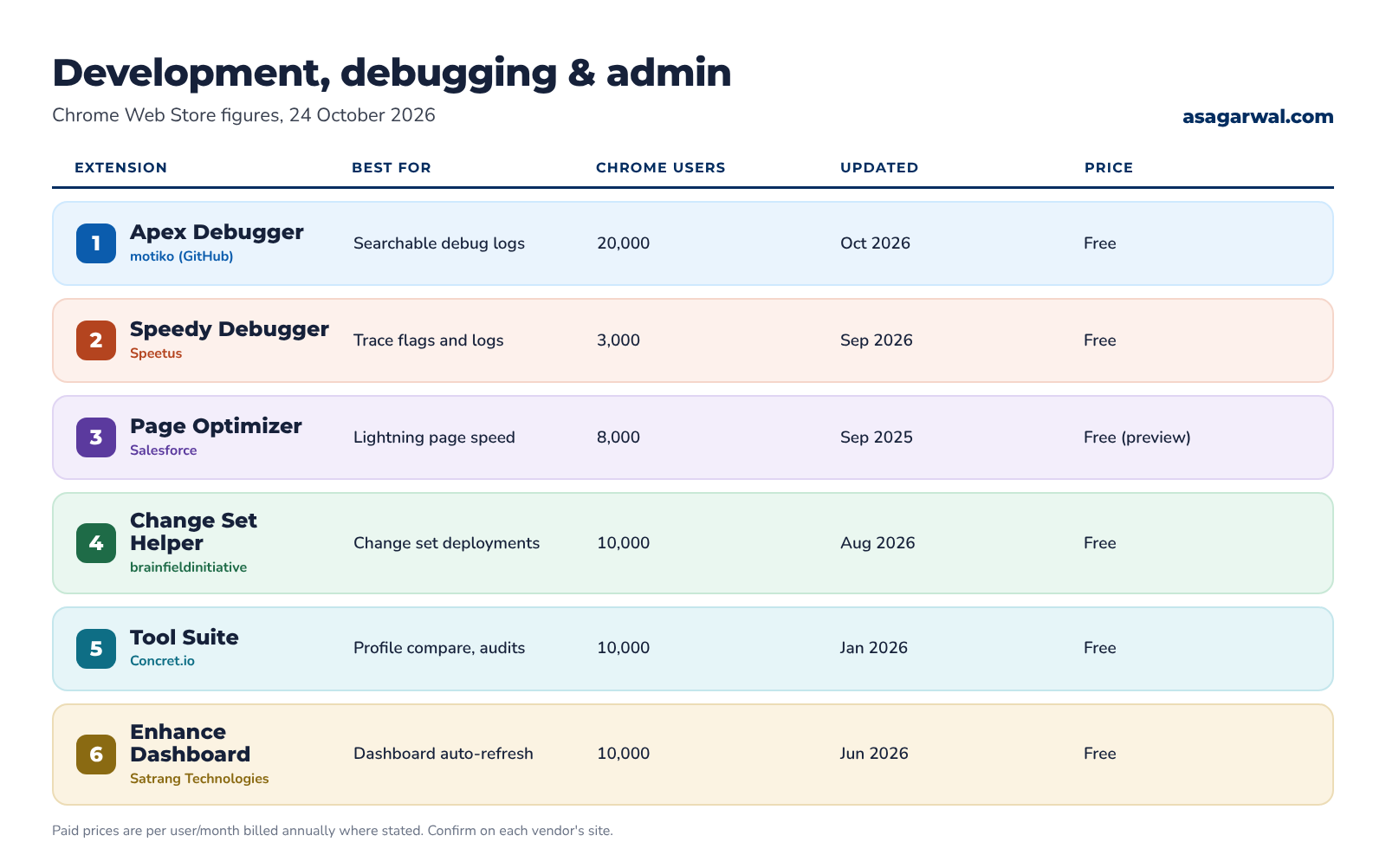
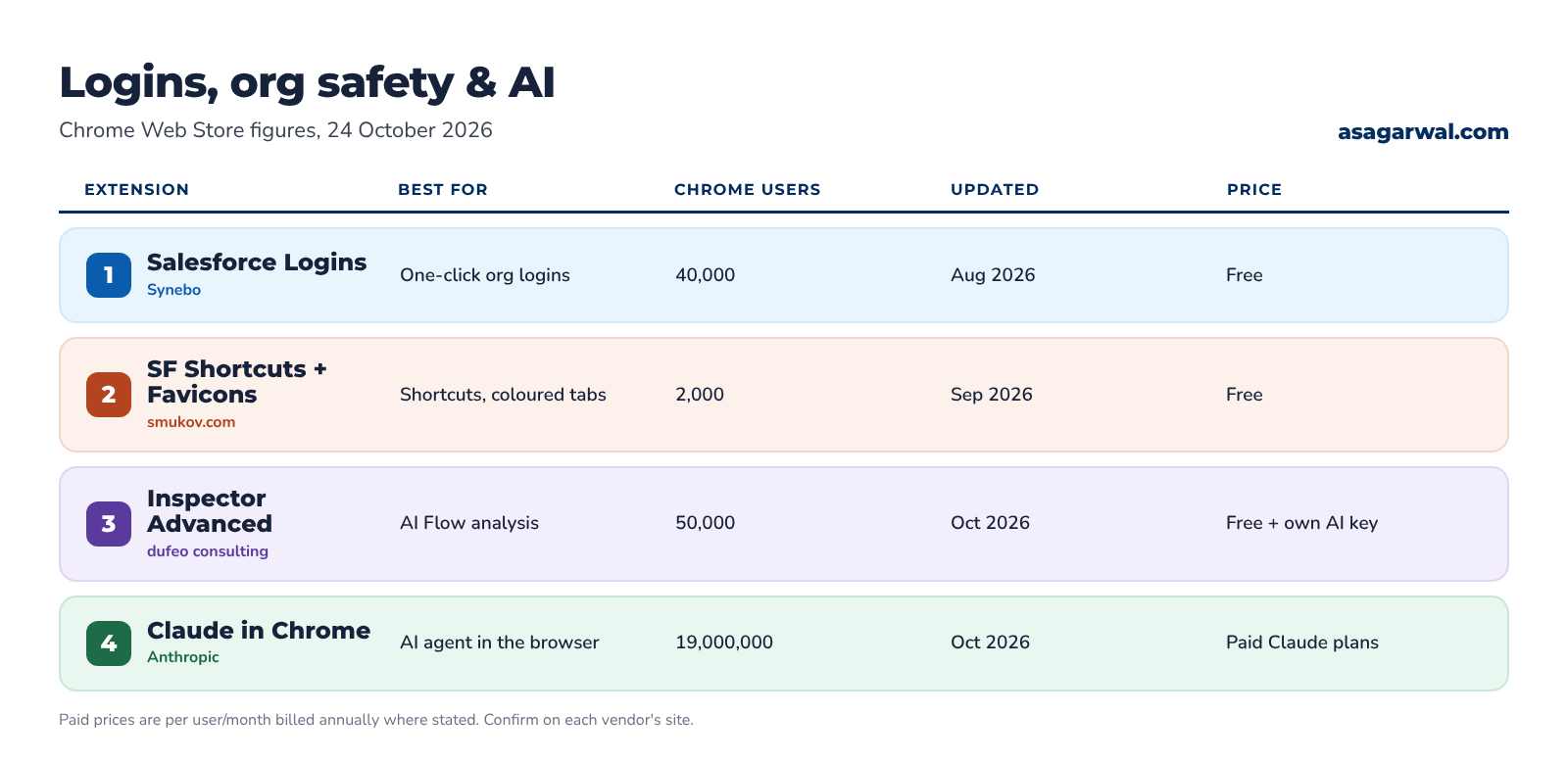
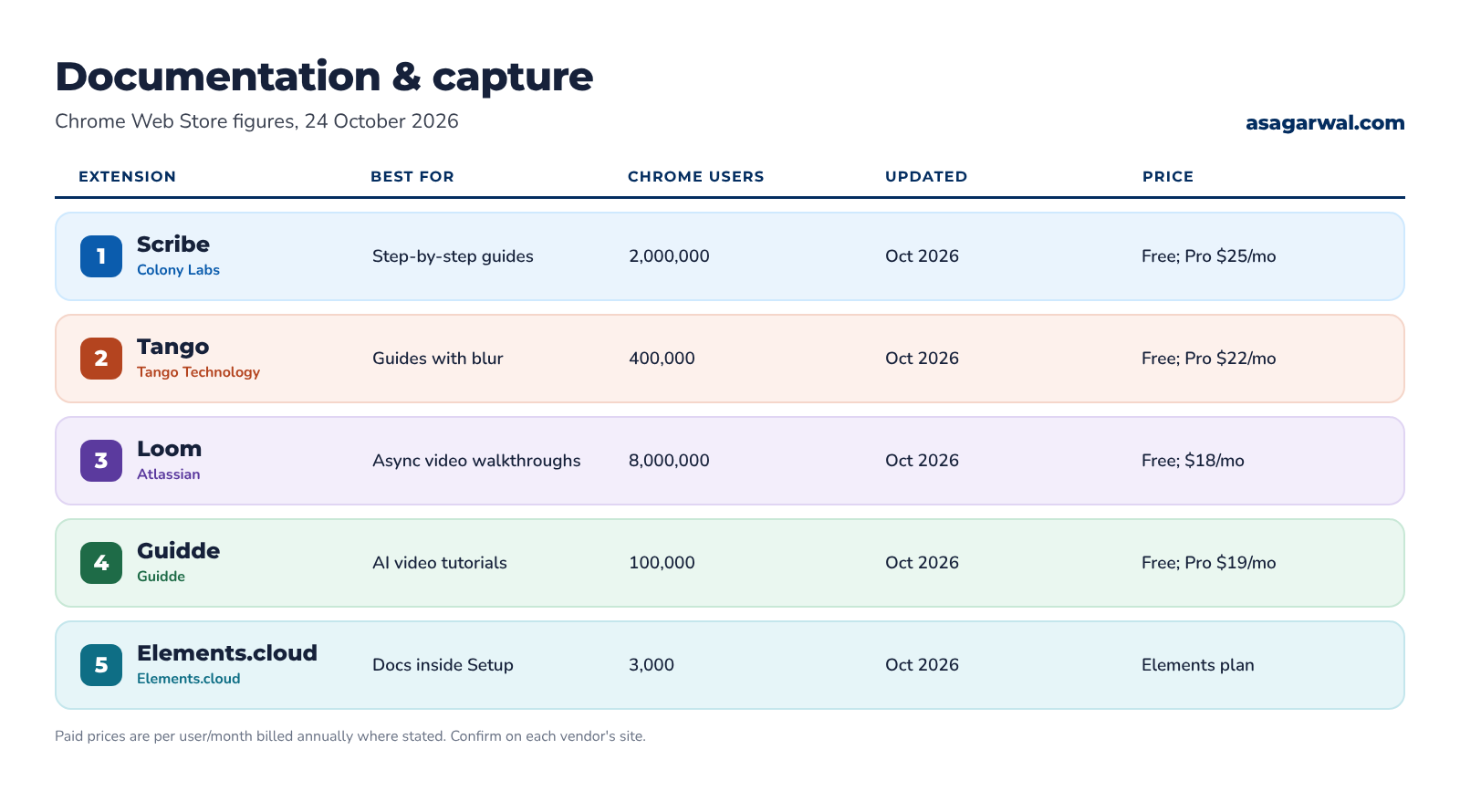
User numbers, last update and price for all 21, as listed on 24 October 2026.
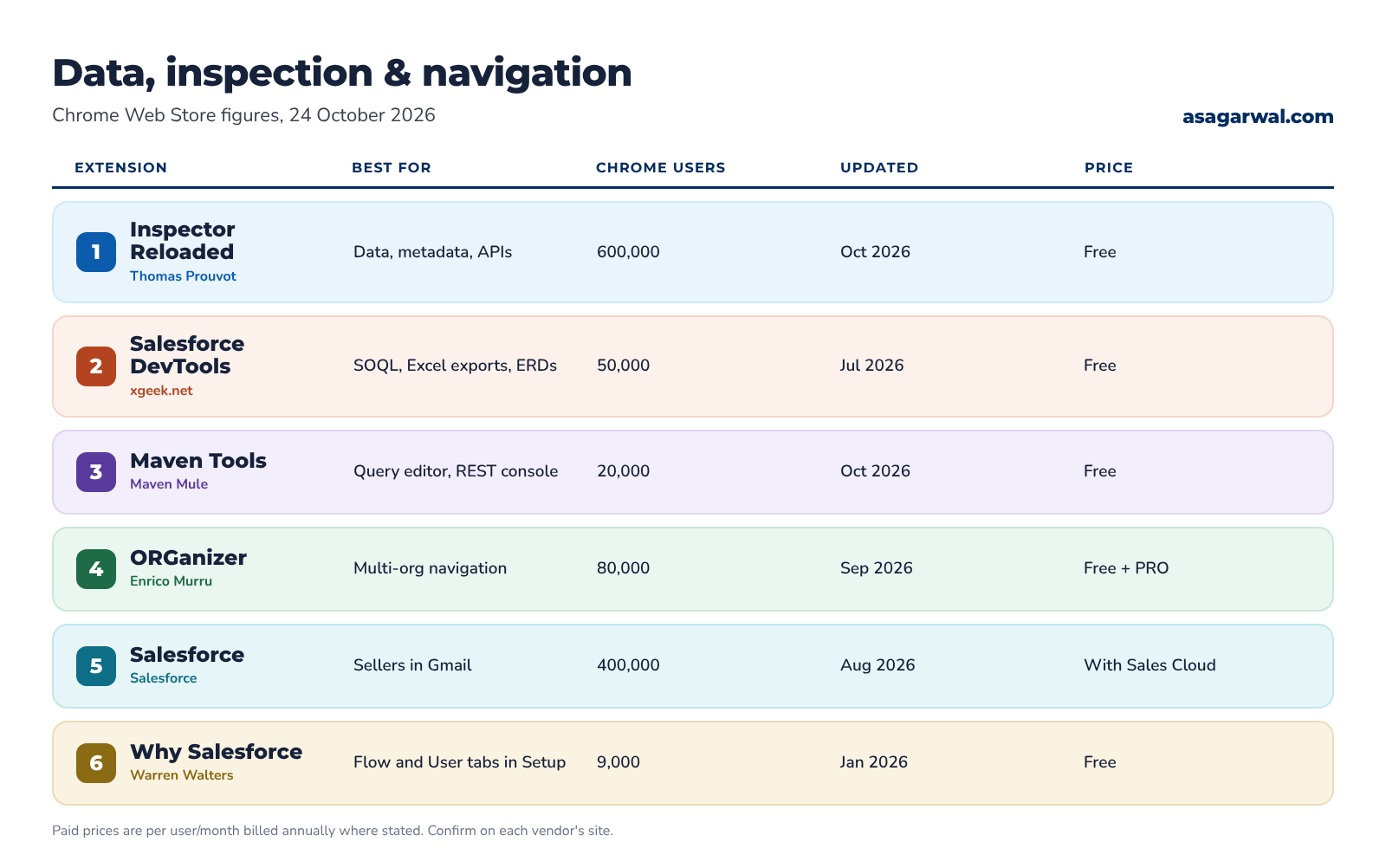
🧭 Where to Start
You don't need all 21. Start with a small kit for your role, and add more only when a real task needs it.
Admin: Salesforce Inspector Reloaded, Why Salesforce, Salesforce Change Set Helper and Scribe or Tango for user guides.
Developer: Salesforce Inspector Reloaded, Apex Debugger, Salesforce Speedy Debugger and Loom for walkthroughs.
Consultant: ORGanizer for Salesforce, Salesforce Inspector Reloaded, Salesforce DevTools for design documents and Scribe for handovers.
Architect: Salesforce Inspector Reloaded, Salesforce Tool Suite for permission audits, Salesforce Page Optimizer for performance and Elements.cloud if your organisation uses it.
🔐 Use Extensions Safely
A Salesforce extension works because it runs inside your logged-in session. Most of them read your Salesforce session cookie and call the API as you, so they can see and change everything you can. Salesforce is blunt about it: it doesn't support third-party extensions, can't stop them from accessing your data and can't detect when they do.
The risk is real. On 25 December 2024 attackers phished an administrator of the Cyberhaven extension, pushed a malicious update to the Chrome Web Store and stole cookies and session tokens from about 400,000 users. It was part of a campaign that hit at least 16 extensions.
Before you install anything on a work browser:
Check company policy first. Many clients block unapproved extensions. Ask before you install on a client laptop or in a client org.
Check the publisher. Prefer known names, a verified website, a trader listing and a long update history. Be wary of copies with similar names.
Read the permissions. Inspector Reloaded asks for Salesforce domains only. Some extensions ask for access to all websites; ask why they need it.
Prefer open source where you can read the code, such as Inspector Reloaded, Apex Debugger or Why Salesforce.
Keep credentials and AI keys under control. Login managers store passwords in your browser; AI features may send metadata or data to an outside provider.
Allow-list centrally. Admins can block all extensions except an approved list with Chrome Enterprise policies, and can require API access through approved connected apps with Salesforce API Access Control. Inspector Reloaded supports this.
Remove what you don't use. Every installed extension is another update you have to trust.
🔗 Useful links
Browser Extensions – Lightning Web Components Developer Guide, Salesforce
Managing Extensions in Your Enterprise – Google Chrome Enterprise Help
Storing org logins? Read our guide to password managers for Salesforce professionals before you rely on a browser extension for credentials.
✅ Build Your Own Toolkit
Pick two or three extensions from your role's starter kit this week. Install them in a sandbox browser profile first, check the permissions, and see how many clicks they save you by Friday. Then share the list with your team so everyone works the same way.
The right extension turns ten clicks into one. The wrong one hands your session to a stranger. Choose a few, choose them carefully, and keep them up to date.
Which Salesforce extension can't you work without? Tell us in the comments 👇