Best Free AppExchange Apps for Salesforce in 2026
Your sales director wants the number of open Cases on every Account, shown on the Account. The relationship is a lookup, so a standard roll-up summary field is off the table. The estimate for an Apex trigger, test class and deployment comes back at three days.
That is how many orgs fill their gaps: custom code for every missing feature, a spreadsheet to work out which of 800 custom fields anyone still uses, and approvers clicking through requests one at a time. Each fix looks small. Together they become technical debt nobody budgeted for.
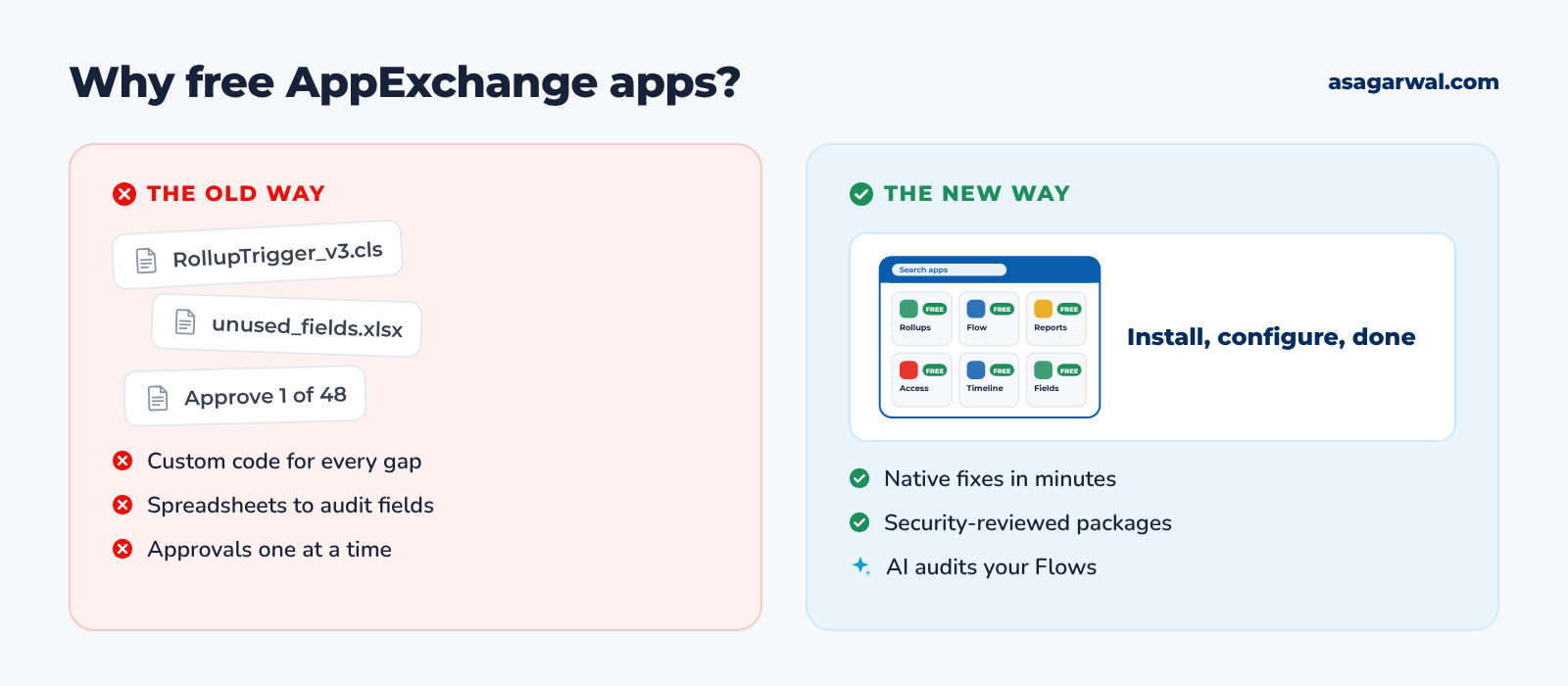
The AppExchange is full of free, native apps that close these gaps in an afternoon. Many come from Salesforce Labs, where Salesforce employees publish free apps; others come from open-source communities or from partners with a genuinely useful free tier. Install, configure, and the rollup, the field audit or the mass approval is done with clicks, not code.
The marketplace itself changed this year. In April 2026 Salesforce brought AppExchange, the Slack Marketplace and its Agentforce agents together under one name, AgentExchange. The old appexchange.salesforce.com links still open, and every app below is still installed the same way. AI is arriving in the free apps too: Salesforce Labs now publishes a dashboard that uses Einstein prompt templates to review your Flows against best practice.
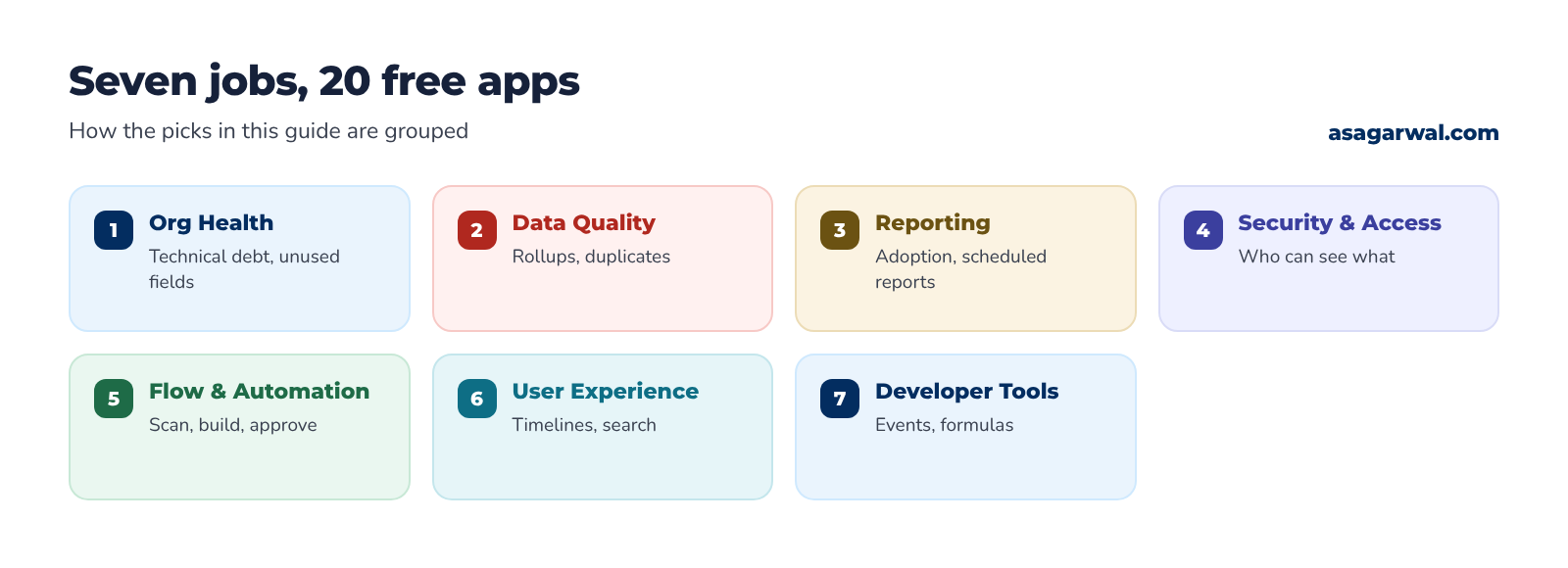
Here are 20 free AppExchange apps worth installing in 2026, grouped by the job they do. 🧩
🔎 How These Were Chosen
Every app below was checked on its AppExchange listing on 30 October 2026: publisher, rating and number of reviews, price model and latest release. To make the list, an app had to be free to install and genuinely usable without paying, solve a common admin, developer or architect problem, and have had a release since mid-2025. The one exception is Salesforce Adoption Dashboards, a reports-and-dashboards package with no code to maintain, which earns its place on 846 reviews. Ratings are the listing's own figures; a handful of reviews is a weak signal, so we say so where it matters.
Several familiar names didn't make it. Mass Action Scheduler is no longer on AppExchange and its GitHub repository was archived on 12 May 2023. Field Trip, the go-to tool for finding unused fields, disappeared from AppExchange around early 2025; FieldSpy and FieldPro below now fill that gap. Plauti's Duplicate Check (now Plauti Deduplicate) no longer has a free edition, only a 14-day trial with custom pricing. DocuSign eSignature and Adobe Acrobat Sign are free to install but listed as paid, because you need a paid subscription to send anything. Data Quality Analysis Dashboards was last released in 2009, the Kcloud Mass Action mass-edit app in September 2024, and Salesforce's own User Access and Permissions Assistant in September 2023 (rated 2.42), so all three are out. Salesforce Code Analyzer is a CLI and VS Code tool rather than an AppExchange app; it is covered in our guide to source code analysis tools.
Most apps here are completely free. Where a paid upgrade exists, we quote the USD list price shown on the listing or vendor site as of October 2026; always confirm on the vendor's page before you buy.
🔗 Useful links
🩺 Org Health & Technical Debt
Know what's in your org before you change it: unused fields, old API versions, risky automation and who has access to what.
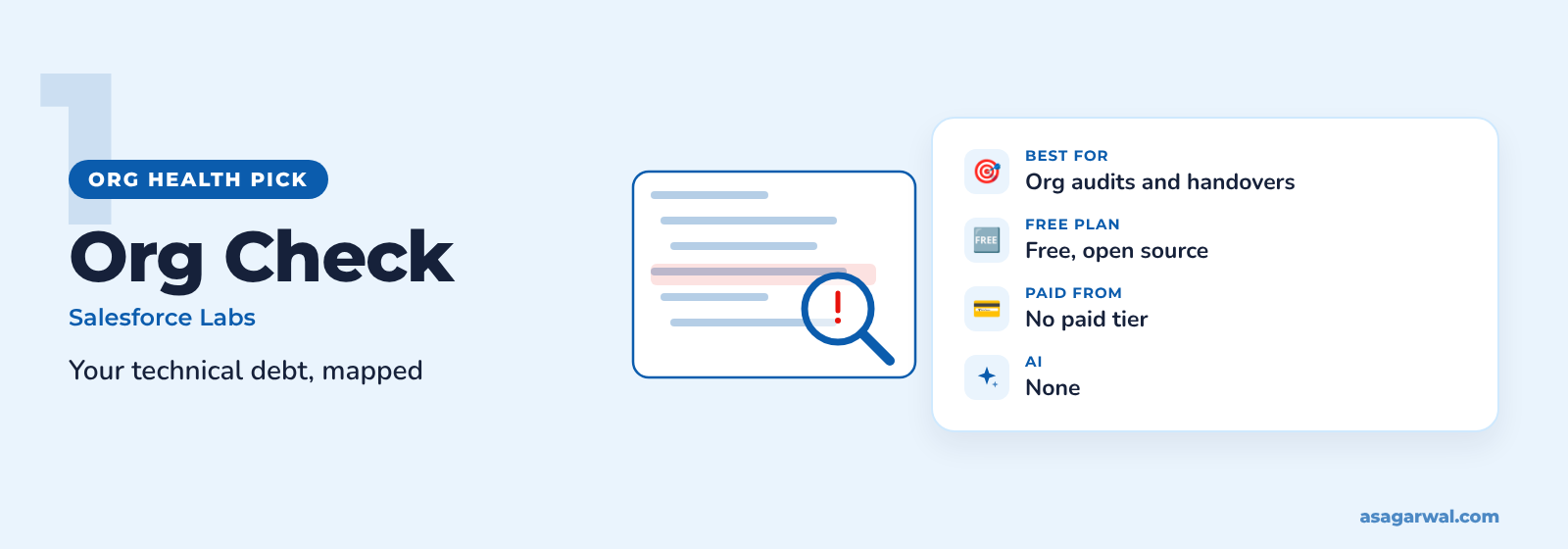
Org Check
🌐 Get it: AppExchange listing
🏢 Provider: Salesforce Labs (Salesforce)
A Salesforce Labs app that started as a personal tool and became an open-source project. It analyses your org for technical debt and bad practice, and it keeps everything in your browser: no custom objects and no external connections.
🔑 What it does
Ten tabs covering the data model, security and access, automations, user interface, Apex and analytics
Flags metadata quality issues, such as hardcoded URLs and Apex classes that need attention
Shows the role hierarchy and public group membership in a readable view
Includes Lightning Flow Scanner rules, plus a Salesforce CLI plugin for scripted checks
💰 Price: Free and open source. Latest release 8.9.0, August 2026.
⚡ Best for: Consultants inheriting an org, and architects preparing a health check or handover.
FieldSpy
🌐 Get it: AppExchange listing
🏢 Provider: Arovy (third party)
Arovy's free field-usage report, which describes itself as an alternative to Field Trip. It shows how often each field is populated, so you can find the ones nobody uses.
🔑 What it does
Population percentage for every field on an object
Analyse several objects at once
Finds references to automation in custom fields before you delete them
Optional sync with Arovy's paid Data Dictionary, which isn't required
💰 Price: Free.
⚡ Best for: Admins running a field clean-up before a redesign or a data migration.
FieldPro
🌐 Get it: AppExchange listing
🏢 Provider: Umanjali (third party)
A field toolkit from Umanjali, rated 4.63 and updated in October 2026. It goes further than a usage report, with a field dictionary, health scores and history tracking.
🔑 What it does
Populate % and a Field Health Score to spot low-value fields
Field references across formulas, validation rules, Flows, Apex and reports
Field history tracking beyond the native limits, reportable in Salesforce
Bulk field management: edit, clone and remove field-level security
💰 Price: Free for up to 3 object scans, with every other feature included; the paid version, $1,000 per company per year, adds unlimited scans.
⚡ Best for: Admins who want a field dictionary and change history, not just a one-off audit.
🔗 Useful links
🧮 Data Quality & Rollups
Rollups on lookup relationships and duplicate clean-up, two jobs that otherwise end in custom Apex. Cleaning duplicates before a load also saves pain later; see our guide to data migration tools.
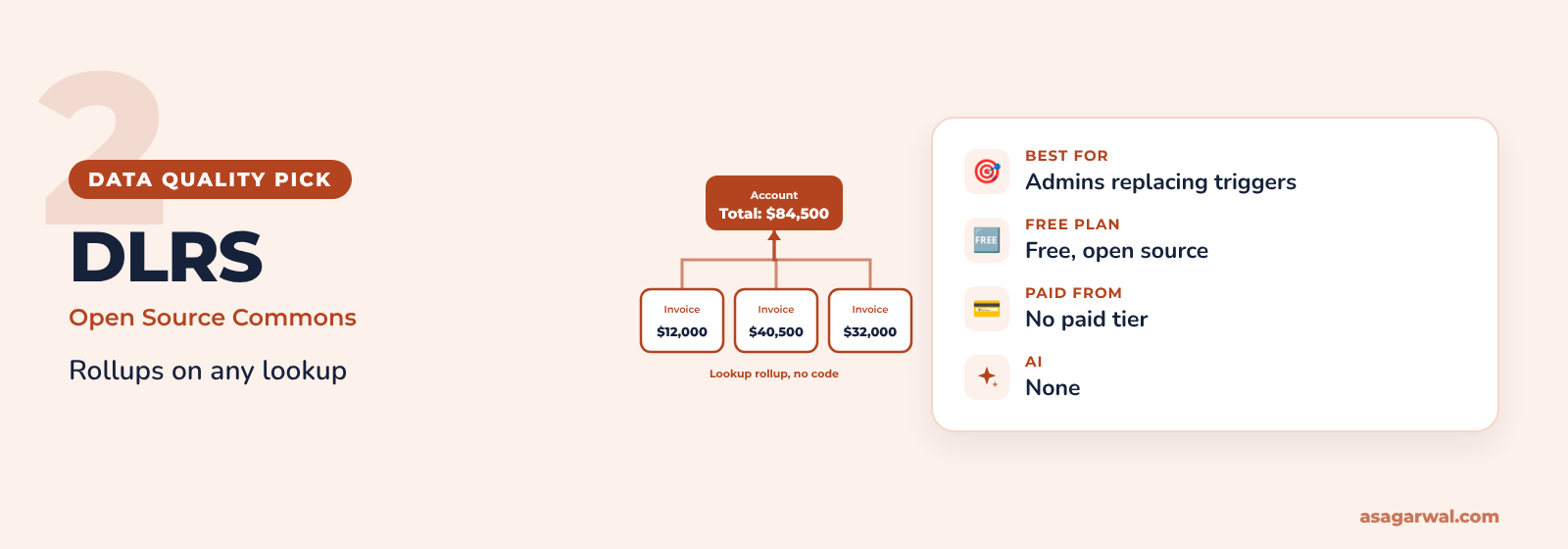
Declarative Lookup Rollup Summaries (DLRS)
🌐 Get it: AppExchange listing · Installer (MetaDeploy)
🏢 Provider: Salesforce Labs, built by the open-source community (Salesforce)
The community favourite for rollups, built and maintained by volunteers through Salesforce's Open Source Commons programme. Rated 4.78 by 50 reviewers; version 2.25 was released in March 2026.
🔑 What it does
Count, sum, min, max, average and concatenate across lookup and master-detail relationships
Realtime, scheduled or invocable from Flow
Filter the child records with criteria
A rollup cookbook with ready-made recipes in the documentation
💰 Price: Free and open source.
⚡ Best for: Admins who need rollups on lookups without writing or maintaining triggers.
Rollup Helper
🌐 Get it: AppExchange listing
🏢 Provider: Passage Technology (third party)
Passage Technology's rollup platform has been on AppExchange since 2012 and has 506 reviews at 4.76. The free edition is enough for most small orgs.
🔑 What it does
Rollups across lookups, hierarchies, Campaign Members and Contact Roles
Sum, count, min, max, average, mode, text and first or last value rollups
Realtime, scheduled or manual runs
Filters without writing SOQL, plus 25 pre-built rollups
💰 Price: Free for up to 3 rollups; paid editions start at $1,740 per org per year.
⚡ Best for: Orgs that need a few powerful rollups and may later want vendor support.
OneMerge Free Edition
🌐 Get it: AppExchange listing
🏢 Provider: Audit9 (third party)
Salesforce's duplicate rules find duplicates; they don't merge them. OneMerge Free Edition, from UK partner Audit9, merges routine duplicates automatically on a schedule. It has only 4 reviews, so test it carefully.
🔑 What it does
Scheduled duplicate resolution
Merge rules and survivorship logic decide which values win
Works on standard and custom objects
Runs inside your org
💰 Price: Free; paid Standard and Enterprise editions add real-time merging and Agentforce integration.
⚡ Best for: Admins who already use matching and duplicate rules and want the merging done for them.
🔗 Useful links
📊 Reporting & Dashboards
See whether people actually use Salesforce, and get reports to the people who don't log in.
Salesforce Adoption Dashboards
🌐 Get it: AppExchange listing
🏢 Provider: Salesforce Labs (Salesforce)
The most-reviewed app in this list, with 846 reviews at 4.6. A Salesforce Labs package of 42 reports and 3 dashboards that answer one question: are users logging in and using the features you built?
🔑 What it does
Login history and trends, so you can see who has stopped logging in
Adoption of key Salesforce features
Sales and marketing productivity measures you can extend
June 2024 update added a permission set instead of profile-based access
💰 Price: Free.
⚡ Best for: Admins and CoE leads reporting on adoption after go-live.
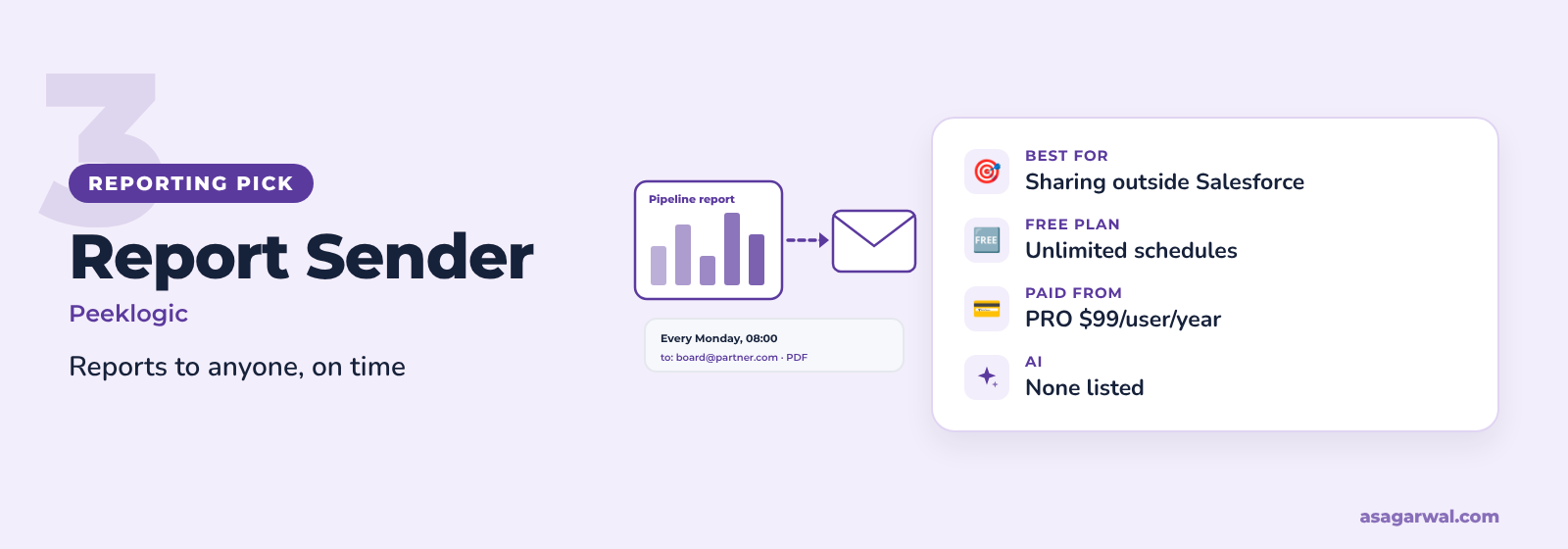
Peeklogic Report Sender – FREE
🌐 Get it: AppExchange listing
🏢 Provider: Peeklogic (third party)
Sends Salesforce reports and dashboards by email to anyone, on a schedule, without a Salesforce licence for the recipient. Rated 4.55 and updated in July 2026.
🔑 What it does
Reports and dashboards as PDF or HTML
Unlimited schedules: daily, weekly or monthly
Send to any email address, or to Leads and Contacts
Send history for every run
💰 Price: Free and unlimited; Report Sender PRO adds Excel and CSV attachments, approvals and branding from $99 per user per year.
⚡ Best for: Sharing a weekly pipeline or service report with managers and partners outside Salesforce.
CloudAnswers Report Sender
🌐 Get it: AppExchange listing
🏢 Provider: CloudAnswers (third party)
The best-rated alternative, with 66 reviews at 4.65 and a release in September 2026. It sends from Salesforce via Heroku, using the visibility of the user who scheduled the report.
🔑 What it does
Send to any email, Contact, User or Public Group
Schedules from hourly to annually, including fiscal periods
Customisable emails using Lightning or Classic templates
CSV in the free version; XLS, XLSX and dashboards with Plus
💰 Price: Free for CSV reports; Plus is $1,100 per year.
⚡ Best for: Teams that need CSV data files delivered on a schedule.
🔗 Useful links
🔐 Security & Access
Start with what you already have. Health Check is in every org, and since Summer '26 Security Center Essentials gives you a free security dashboard with a Health Check score, 30 days of metrics, and views of connected apps, installed packages and login IP ranges. These two apps answer the next question: who can see and change what.
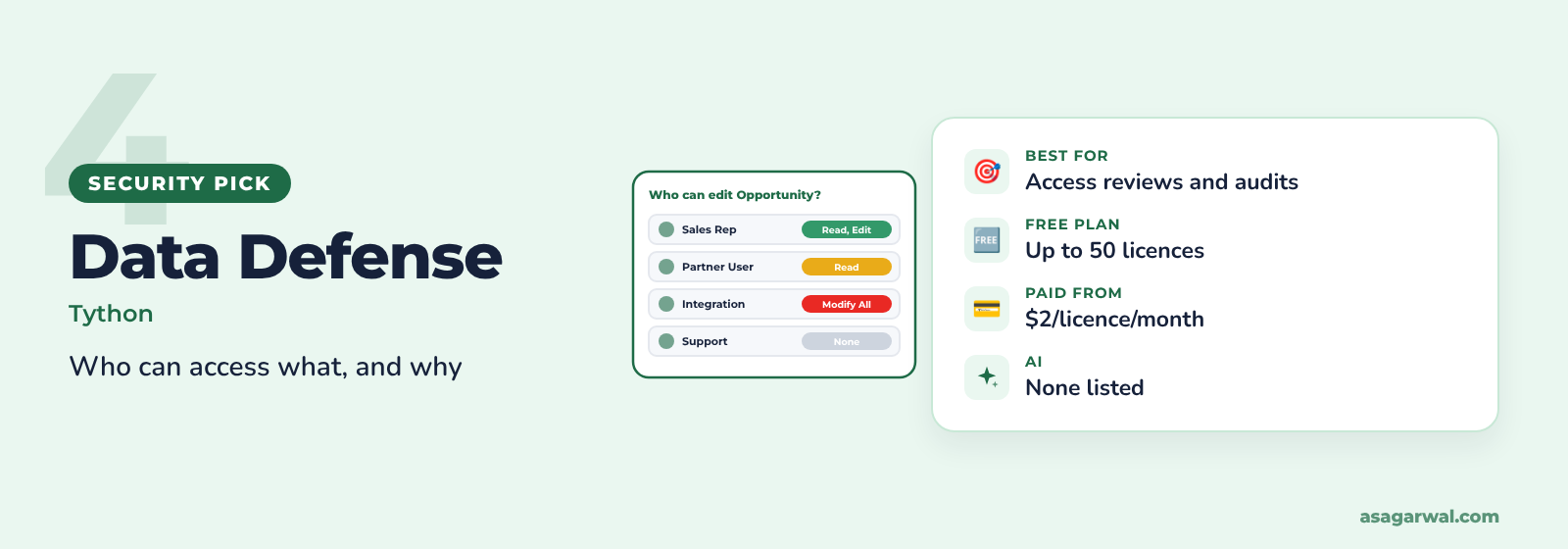
Data Defense
🌐 Get it: AppExchange listing
🏢 Provider: Tython (third party)
Formerly Permissions Assistant, from Tython. A native app, rated 4.89 by 9 reviewers and updated in October 2026, that turns permission sprawl into something you can search.
🔑 What it does
Search all profiles, permission sets and permission set groups at once
Compare users side by side to see why one can do what another can't
Track permission changes over time and across orgs
Runs in your org; data doesn't leave Salesforce
💰 Price: Free for orgs with up to 50 Salesforce licences; Pro starts at $2 per licence per month.
⚡ Best for: Admins preparing access reviews, audits or a move from profiles to permission sets.
Satrang Mass Assign Permissions
🌐 Get it: AppExchange listing
🏢 Provider: Satrang Technologies (third party)
A free bulk-permissions tool from Satrang Technologies, rated 4.78 and updated in September 2026. It does the clicking that a profile-to-permission-set migration otherwise demands.
🔑 What it does
Assign permission sets and permission set groups to many users at once
Bulk field-level security and object permissions, including View All and Modify All
Grant Apex class and Visualforce page access in bulk
Assign package licences, filtered by role, profile or group
💰 Price: Free.
⚡ Best for: Admins rolling out a new permission set model or onboarding a large team.
🔗 Useful links
⚡ Flow & Automation
Better Flows, reviewed before they reach production, plus faster approvals. Lightning Flow Scanner is also built into Salesforce Inspector Reloaded, one of the picks in our guide to Salesforce browser extensions.
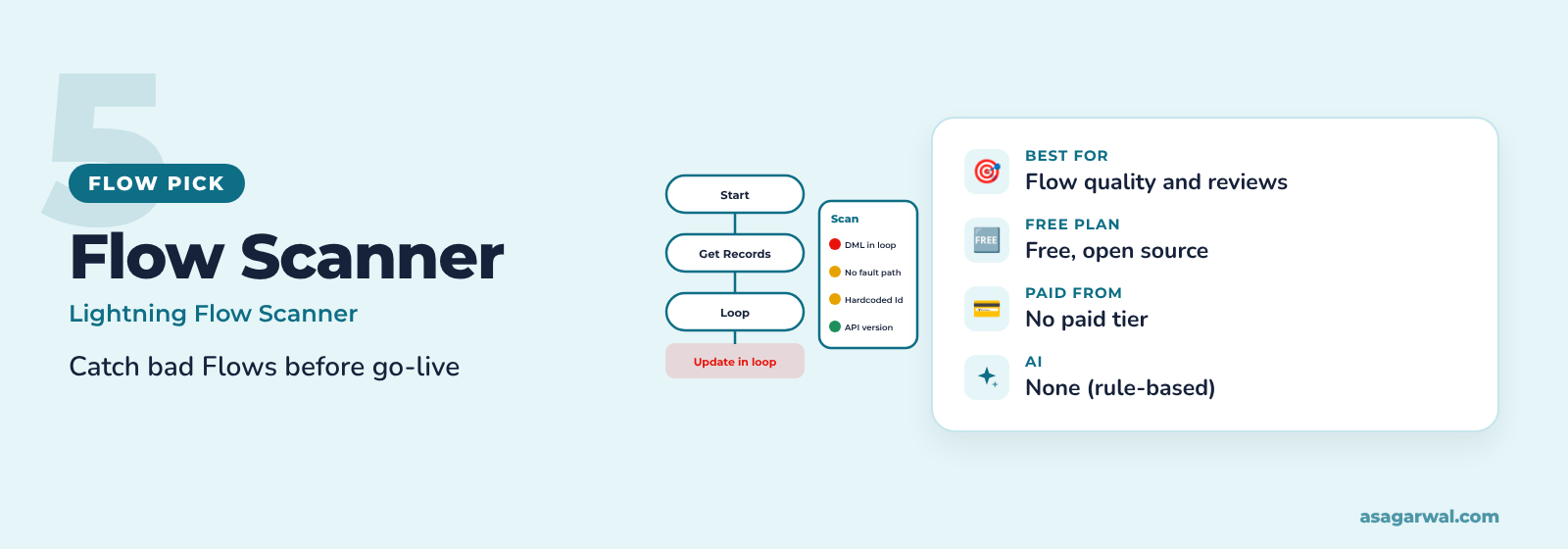
Lightning Flow Scanner
🌐 Get it: AppExchange listing
🏢 Provider: Lightning Flow Scanner open-source project (third party)
An open-source static analyser for Flows, now available as a native AppExchange app alongside its CLI, VS Code and GitHub Actions versions. The project reports more than 500,000 downloads since 2021.
🔑 What it does
Checks Flows against 20+ configurable rules
Finds DML or SOQL in loops, missing fault paths, hardcoded IDs and URLs, and outdated API versions
Tune severity and exceptions to match your team's standards
The same engine runs in your org, in CI pipelines and in pull requests
💰 Price: Free and open source (MIT licence).
⚡ Best for: Admins and architects who review Flows before deployment.
Flow AI Audit Dashboard
🌐 Get it: AppExchange listing
🏢 Provider: Salesforce Labs (Salesforce)
The newest Salesforce Labs app here, released in April 2026. It sends your Flows through Einstein prompt templates and returns a health score with recommendations. There are no reviews yet, so treat it as one to trial in a sandbox.
🔑 What it does
Batch-analyses Flows through the Tooling API
Audits 12 categories, including bulkification, error handling, security and governor limits
Separates critical errors from optimisation suggestions
Health scores from 0 to 100 and PDF reports
💰 Price: Free to install, but it needs Einstein generative AI in your org (the project's GitHub page lists an Einstein 1 licence). Check how prompt template usage is billed under your contract.
⚡ Best for: Teams already licensed for Einstein who want an AI second opinion on their Flows.
Avonni Flow Components
🌐 Get it: AppExchange listing
🏢 Provider: Avonni (third party)
More than 70 Screen Flow components from Avonni, rated 5.0 by 39 reviewers and updated in October 2026. Your Screen Flows start to look like an app, without writing a Lightning Web Component.
🔑 What it does
Data table with inline editing, Kanban board, calendar and map
Visual picker, carousel, signature and file upload components
Interactions wired to Flow variables: launch subflows, navigate, update fields
Style each component from Flow Builder with a live preview
💰 Price: Free for up to 10 users who run Flows containing Avonni components; then $5 per user per month.
⚡ Best for: Small teams and proofs of concept that need richer Screen Flows fast.
Enhanced Approval Requests Free
🌐 Get it: AppExchange listing
🏢 Provider: Forcelution Apps (third party)
Forcelution's replacement for the standard Items to Approve list. It handles both Flow-based and classic approval processes, and the latest version is labelled Winter 2027.
🔑 What it does
Approve, reject or reassign up to 50 requests in one go
Shows requests assigned to you and to your queues
Configurable columns, such as submitter and most recent actor
Up to 2,000 processed requests per org per month on the free version
💰 Price: Free; Enhanced Approval Requests Pro is listed at €12.83 per user per month billed annually.
⚡ Best for: Managers who face a long approval queue every Monday.
🔗 Useful links
🖥️ User Experience
Small components that make record pages easier to read and records easier to find.
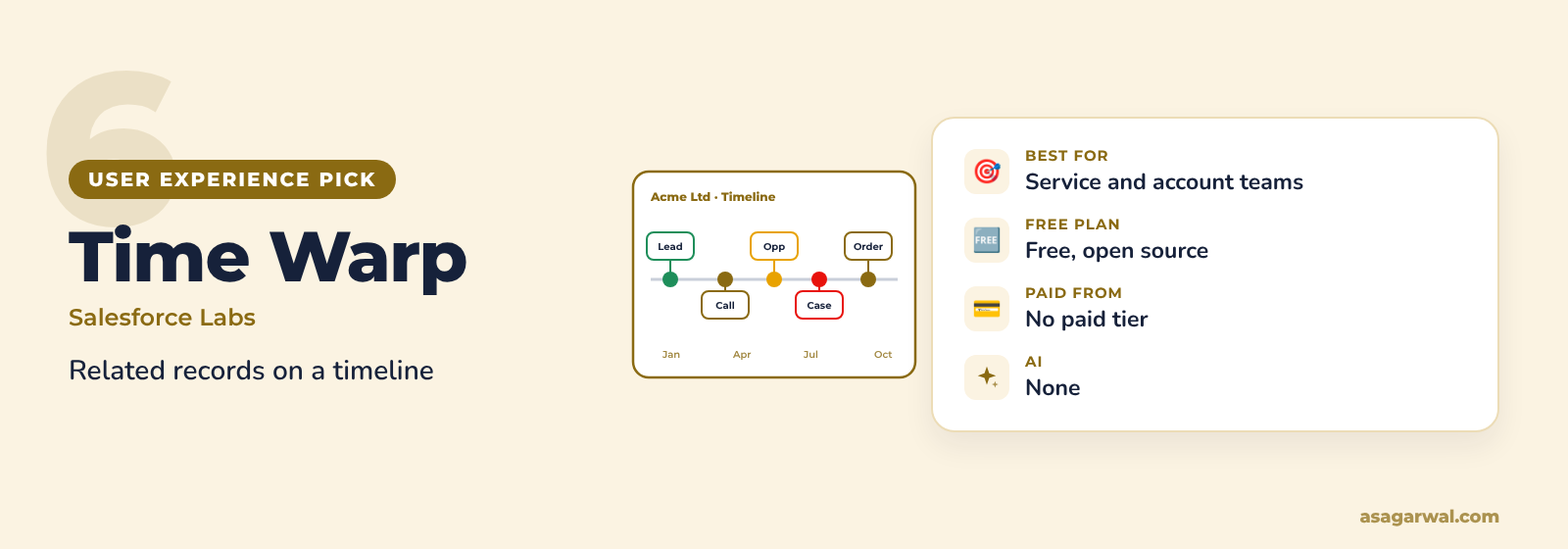
Time Warp
🌐 Get it: AppExchange listing
🏢 Provider: Salesforce Labs (Salesforce)
An interactive timeline of related records, from Salesforce Labs and open-source developer Dave Norris. Rated 4.72 by 89 reviewers; release 1.16 arrived in May 2026.
🔑 What it does
Shows related records from standard and custom objects on one timeline
Hover for details, click to open, filter by record type
Supports Person Accounts and junction objects
Configurable height, scale, icons and colours
💰 Price: Free and open source (MIT licence).
⚡ Best for: Service and account teams who need the story of a customer at a glance.
Timeline
🌐 Get it: AppExchange listing
🏢 Provider: Salesforce Labs (Salesforce)
A different Salesforce Labs timeline, with the look of the standard Activity Timeline but for any related object. Updated in April 2026.
🔑 What it does
Timeline view for any related object, not just tasks, events and emails
Configured with clicks through a guided Flow
Quick actions for Log a Call, New Task, New Event and Send Email
Works on Professional Edition and above
💰 Price: Free.
⚡ Best for: Orgs that want a familiar, standard-looking timeline on custom objects.
Record Hunter
🌐 Get it: AppExchange listing
🏢 Provider: Salesforce Labs (Salesforce)
A Salesforce Labs search builder for custom search screens. The latest release (November 2025) moves everything to Lightning Web Components; the old Aura components are deprecated.
🔑 What it does
Admins build search screens with filters and search logic, no queries needed
View and update related records on the same screen
Map-based location filter
Results lists that can launch a Flow
💰 Price: Free.
⚡ Best for: Users who search on the same criteria all day, such as available properties or open orders.
🔗 Useful links
🛠️ Developer Tools
Two utilities for the jobs the Developer Console still makes awkward.
Streaming Monitor
🌐 Get it: AppExchange listing
🏢 Provider: Salesforce Labs (Salesforce)
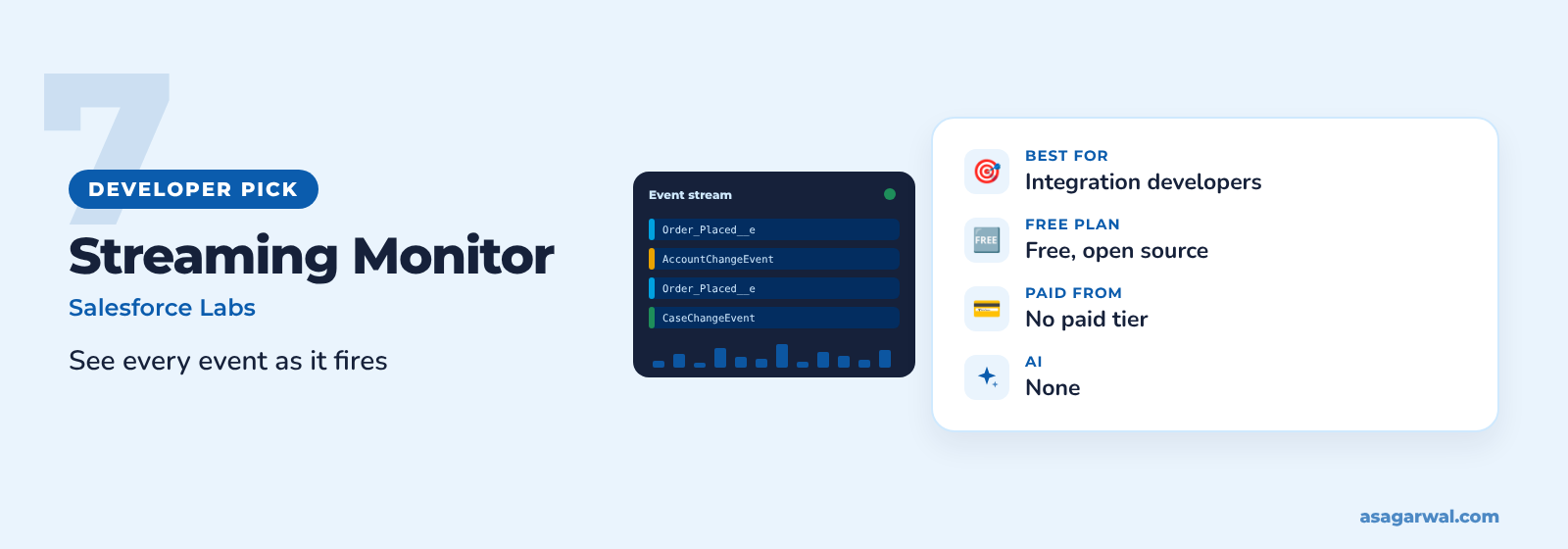
A Salesforce Labs app for watching streaming events in real time, rated 4.3 and updated in June 2026. Invaluable when an integration says it published an event and you can't see it.
🔑 What it does
Subscribe to PushTopic, generic, platform, Change Data Capture and monitoring events
Event types are discovered automatically
Replay past events in a timeline or table, with filters
Publish test platform and generic events from the same screen
💰 Price: Free and open source.
⚡ Best for: Integration developers and architects debugging event-driven designs.
Ortoo Labs Formula Prettifier
🌐 Get it: AppExchange listing
🏢 Provider: Ortoo (third party)
A free editor for long formula fields, built by Ortoo developer Aymen Imtiaz under the Ortoo Labs programme. Rated 5.0 by 11 reviewers and updated in May 2026.
🔑 What it does
Syntax highlighting and collapsible sections for nested formulas
Real-time evaluation as you edit
Interactive debugging to see which branch a record takes
Support is best effort, as for all Ortoo Labs apps
💰 Price: Free.
⚡ Best for: Admins maintaining 3,000-character formulas that nobody wants to touch.
🔗 Useful links
📊 At a Glance
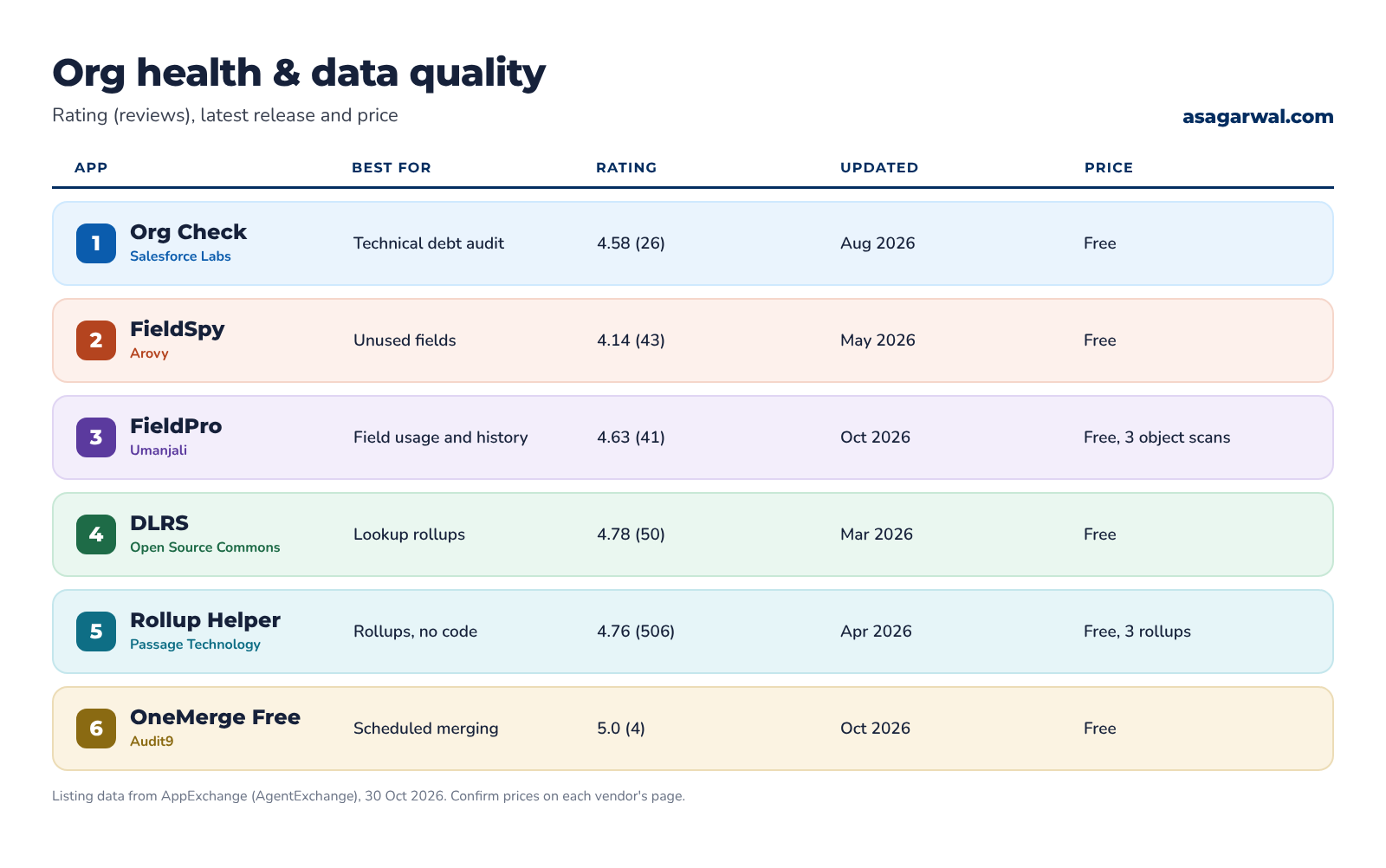
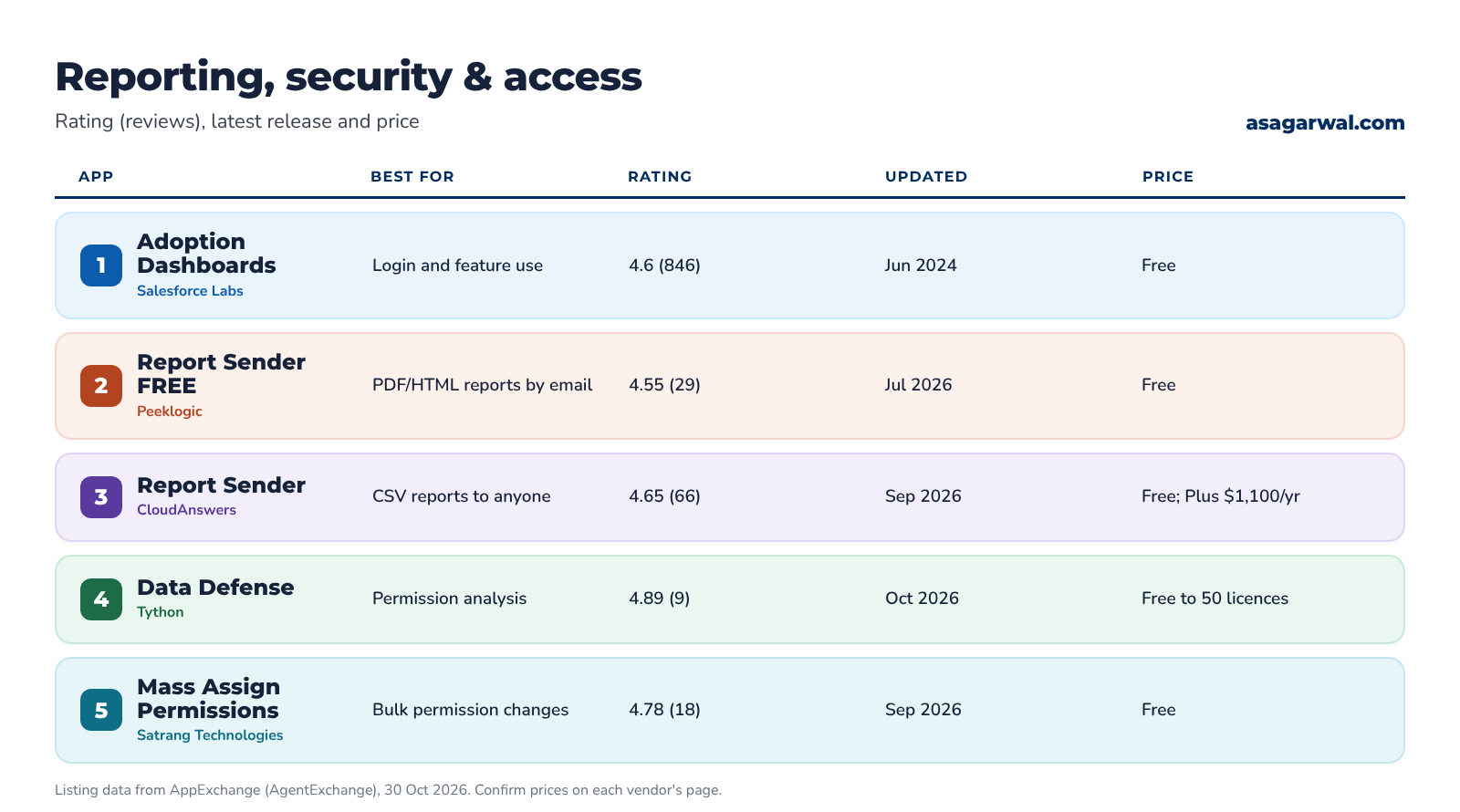
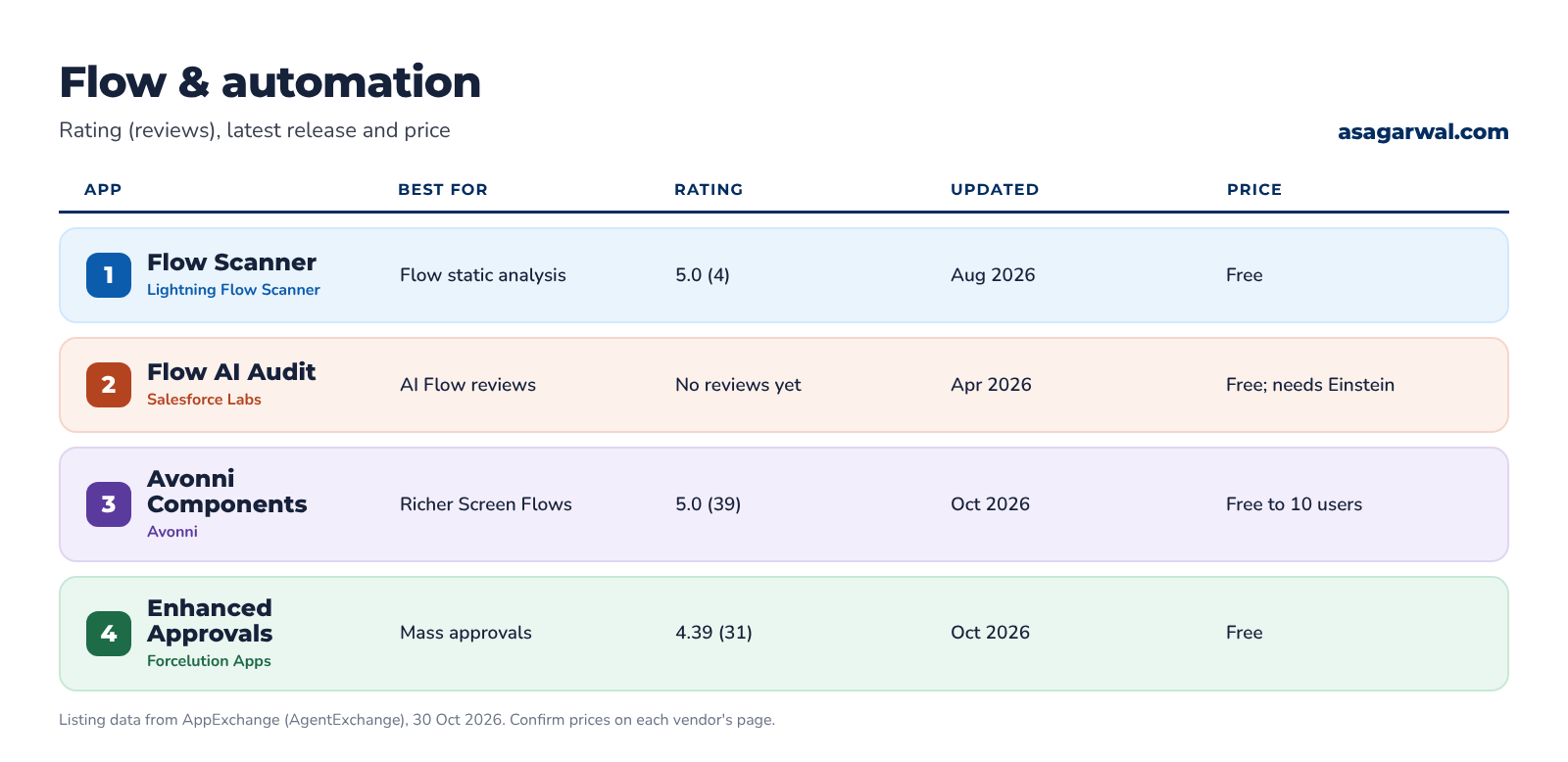
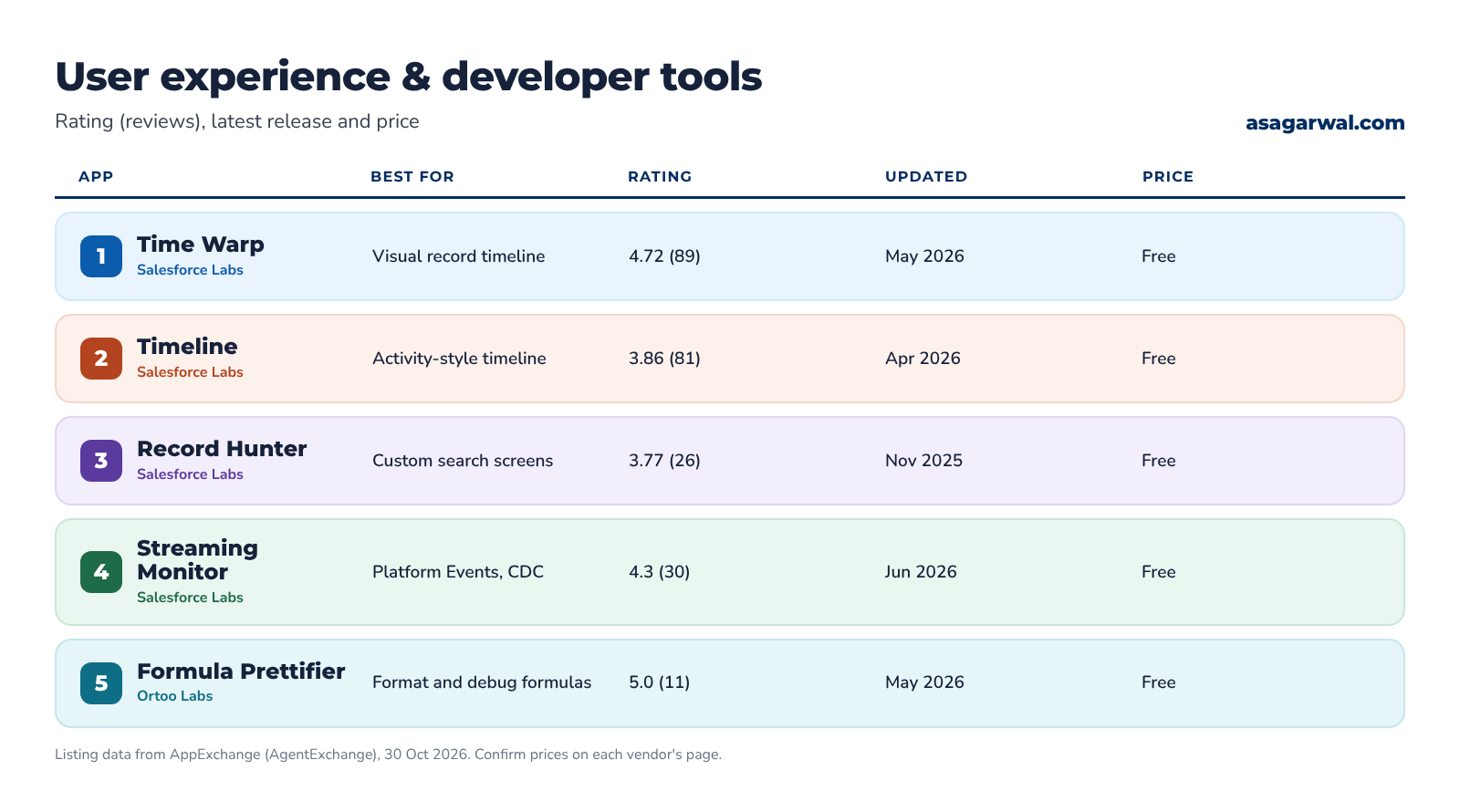
Rating, latest release and price for all 20, as listed on 30 October 2026.
🧭 Where to Start
You don't need all 20. Pick the two or three that solve a problem you have this month.
Inheriting an org? Install Org Check and FieldSpy, then read the results before you change anything.
Need rollups on lookups? Start with DLRS; choose Rollup Helper if you want vendor support.
Reviewing access? Open Security Center Essentials first, then add Data Defense.
Building lots of Flows? Add Lightning Flow Scanner to your review process, and Avonni if your Screen Flows need richer components.
Proving adoption after go-live? Salesforce Adoption Dashboards plus a scheduled Report Sender email to the sponsor.
🔐 Install Apps Safely
A free app runs inside your org with whatever access you give it. The AppExchange security review is a real hurdle, but Salesforce says plainly that it can't find every issue. Salesforce Labs apps carry their own warning: they are not provided or warranted by Salesforce, and support comes from GitHub issues and community groups, not a support case.
Before you click Get It Now:
Install in a sandbox first. Test with real user profiles and real data volumes, and only then install in production.
Check the publisher and activity. Look at the publisher name, the latest release date, the number of reviews and the support details. A great app with four reviews still needs more testing than one with four hundred.
Read the package components and API access. The installer lists the components and the API access they are granted. If an app sends data to an outside service, as CloudAnswers Report Sender does through Heroku, know that before you approve it.
Choose who gets access. Install for Admins Only unless you have a reason not to, then grant access with the app's permission sets.
Know managed from unmanaged. Managed packages have a namespace, hide their code and upgrade cleanly. Unmanaged packages, such as Salesforce Adoption Dashboards and Flow AI Audit Dashboard, give you editable components but can't be upgraded; a new version means reinstalling.
Watch Apex tests. If a package contains Apex, your org's tests run during installation, so a failing test can block the install.
Uninstall what you don't use. Review Installed Packages twice a year. Security Center Essentials now lists them for you.
🔗 Useful links
Installing Packages – AppExchange Installation Guide, Salesforce
How the AppExchange Security Review Works – Salesforce Developers
✅ Close One Gap This Week
Pick the gap that costs your team the most time, whether that's a missing rollup, an unreadable permission model or a queue of approvals. Install the matching app in a sandbox, test it with a real user, and write down how much time it saves. That number makes the case for production.
The best app is the one that replaces a custom build you never have to maintain. Install fewer, test them properly, and keep them up to date.
Which free AppExchange app would you install in every org? Tell us in the comments 👇